> ## Documentation Index
> Fetch the complete documentation index at: https://docs.linkup.so/llms.txt
> Use this file to discover all available pages before exploring further.
# Keywords AI
> How to use Keywords AI with Linkup to call 300+ LLMs and get LLM observability
[Keywords AI](https://www.keywordsai.co) is an LLM engineering platform that allows you to do monitoring, prompt management, and LLM evals.
This tutorial will show you how to set up Linkup in the Keywords AI API payload to monitor LLM performance and usage.
Create a Linkup account for free to get your API key.
Create a Keywords AI account for free to get your API key.
```python Python {24-30} theme={"system"}
import requests
def demo_call(
company,
model="gpt-4o-mini",
token="KEYWORDSAI_API_KEY"
):
headers = {
'Content-Type': 'application/json',
'Authorization': f'Bearer {token}',
}
data = {
"messages": [
{
"role": "system",
"content": "You are a helpful assistant."
},
{
"role": "user",
"content": "What is " + company + "'s 2024 revenue? Base your answer on the following trusted data: \n\n{% if linkup_search_response %}{{ linkup_search_response.results }}{% else %}I don't have that information.{% endif %}}"
}
],
"linkup_params": {
"apiKey": "LINKUP_API_KEY",
"q": "What is " + company + "'s 2024 revenue?",
"depth": "deep",
"outputType": "searchResults",
"includeImages": False
},
"model": "gpt-4o-mini"
}
response = requests.post('https://api.keywordsai.co/api/chat/completions', headers=headers, json=data)
return response
input_text = "Microsoft"
response = demo_call(input_text)
print(response.json())
```
You can also use prompt templates as follows:
```python theme={"system"}
Please provide information about {{ company_name }}'s 2024 revenue and cite your sources.
{% if linkup_search_response %}
Here's what I found:
{{ linkup_search_response.answer }}
Sources:
{% for source in linkup_search_response.sources %}
- {{ source.name }}: {{ source.url }}
{% endfor %}
{% endif %}
```
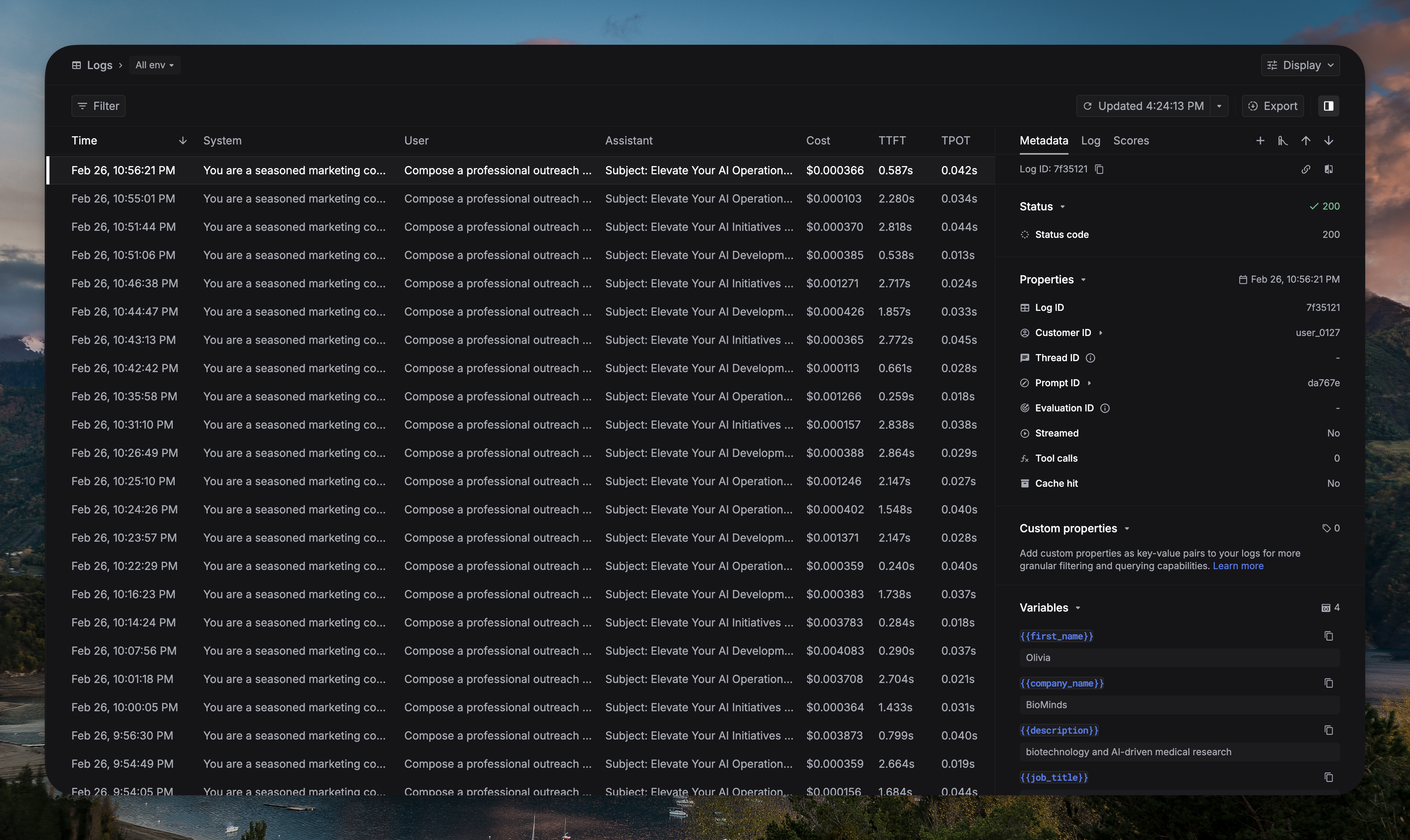
After you set up the environment and run the request, you can see [LLM logs](https://platform.keywordsai.co/platform/requests?sort_by=-timestamp) in Keywords AI.
 **Need help?** Email `support@linkup.so`, ping us on [Discord](https://discord.com/invite/9q9mCYJa86), or [talk to us](https://calendar.app.google/zNUZz7RxgMMk9pKW7).