> ## Documentation Index
> Fetch the complete documentation index at: https://docs.linkup.so/llms.txt
> Use this file to discover all available pages before exploring further.
# Make
> How to connect Make to web search
## Overview
You can connect a [Make](https://eu2.make.com) workflow to web search through Linkup, which can be used as a Module to get contextual information from the internet.
## Installation
Go to your Make account and navigate to dashboard > Scenario > Create a new scenario.
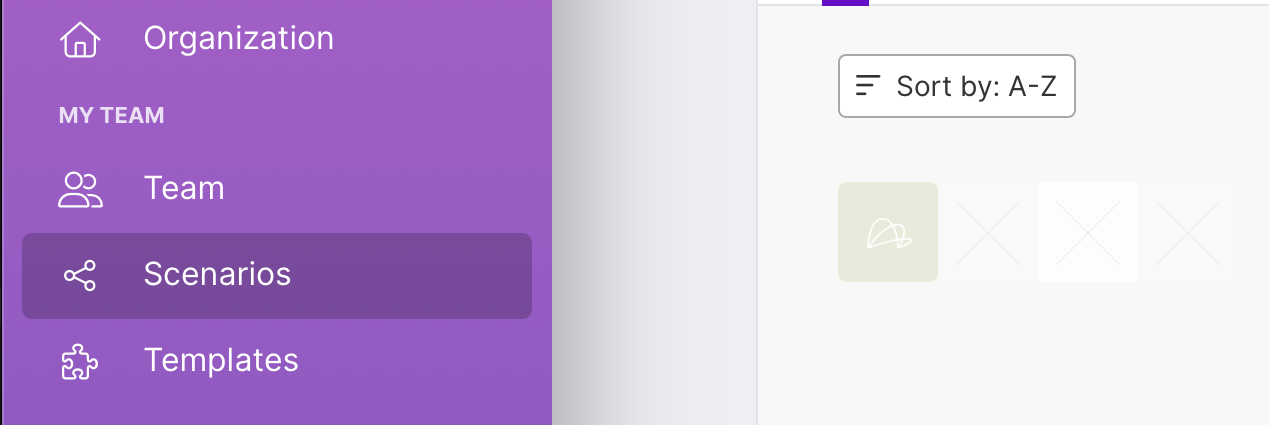
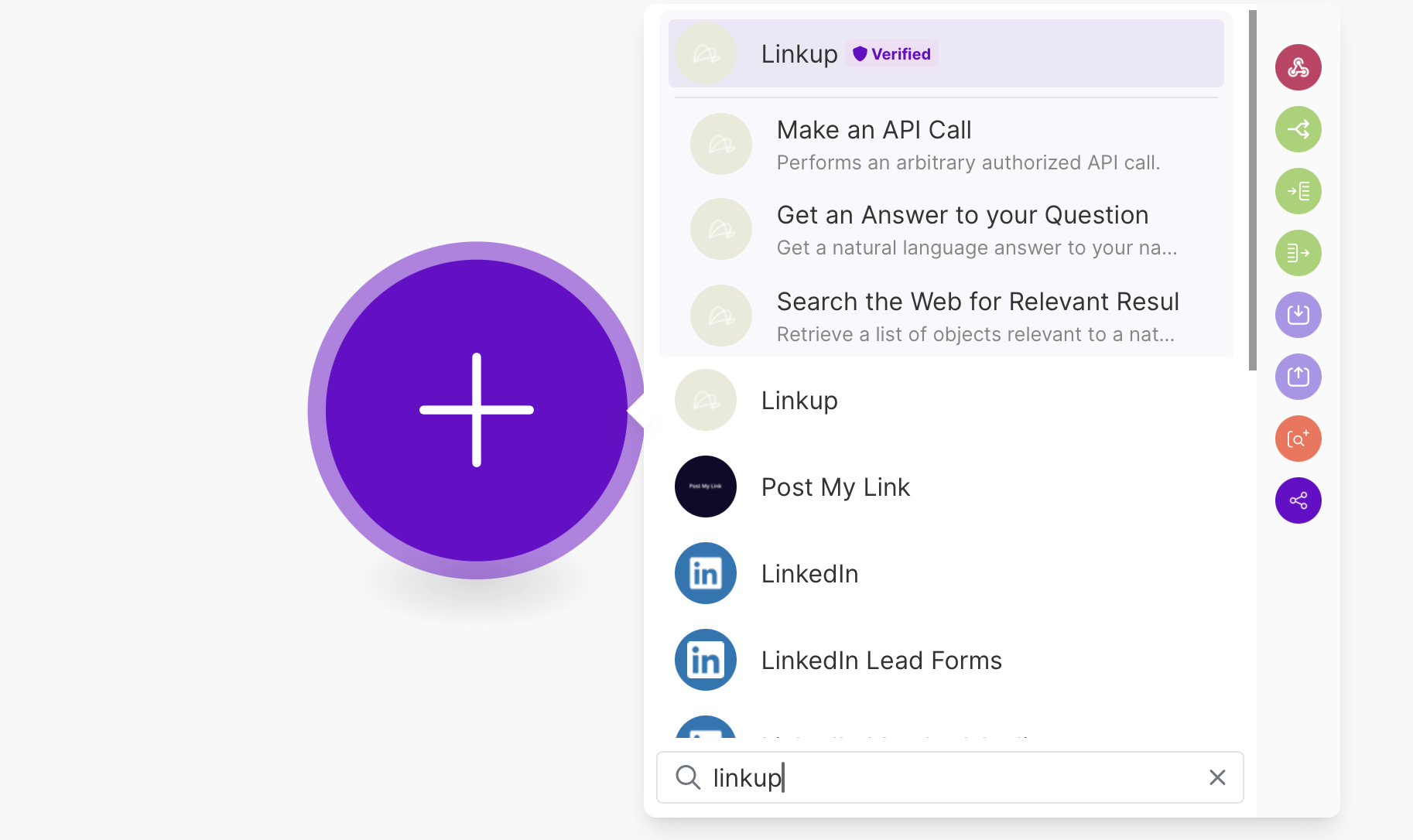
 Search for Linkup in the searchbar and select the Linkup Action you want to use.
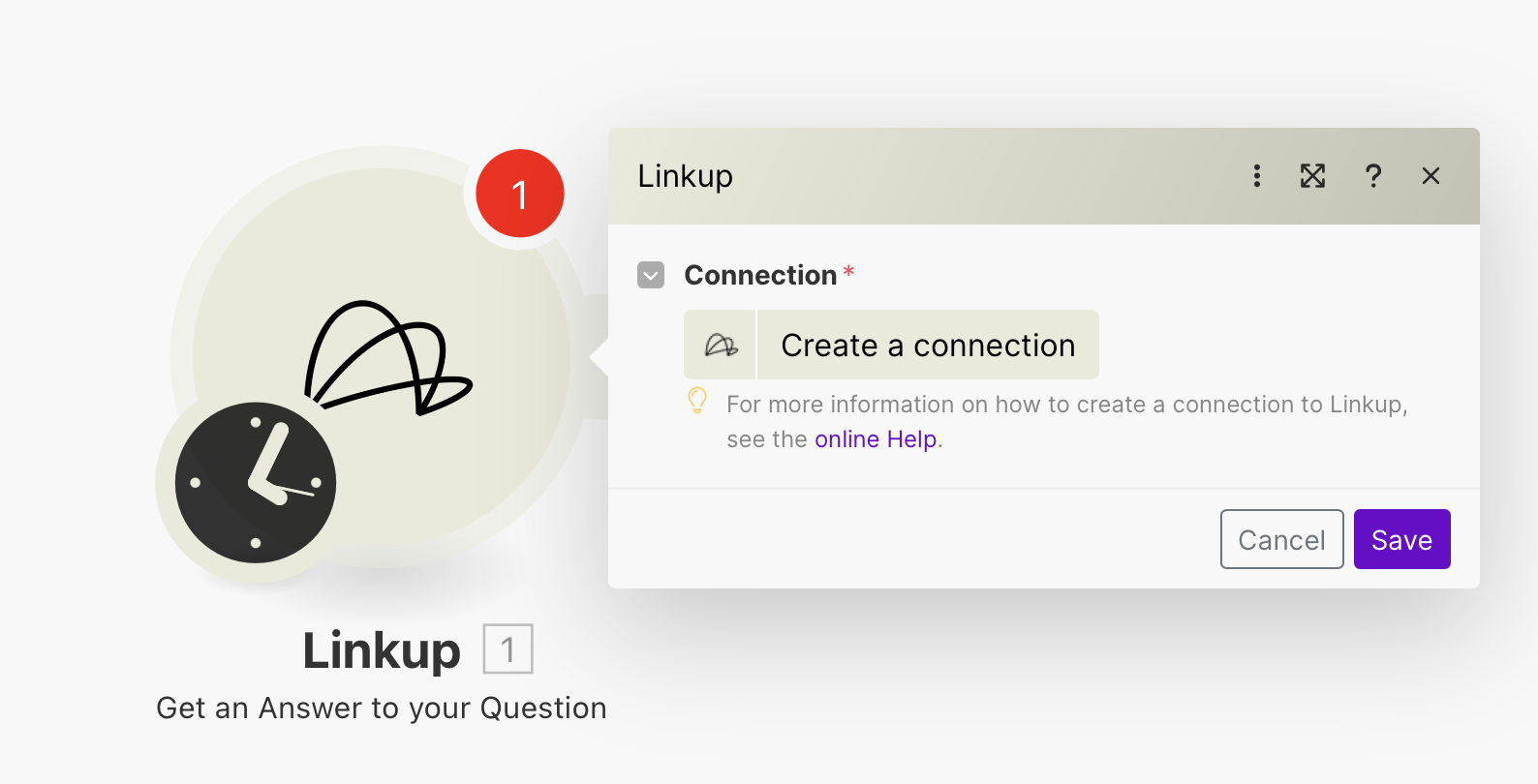
 Get your Linkup API Key and create a connection.
Create a Linkup account for free to get your API key.
Click on Create a Connection and enter your Linkup API Key.
Get your Linkup API Key and create a connection.
Create a Linkup account for free to get your API key.
Click on Create a Connection and enter your Linkup API Key.
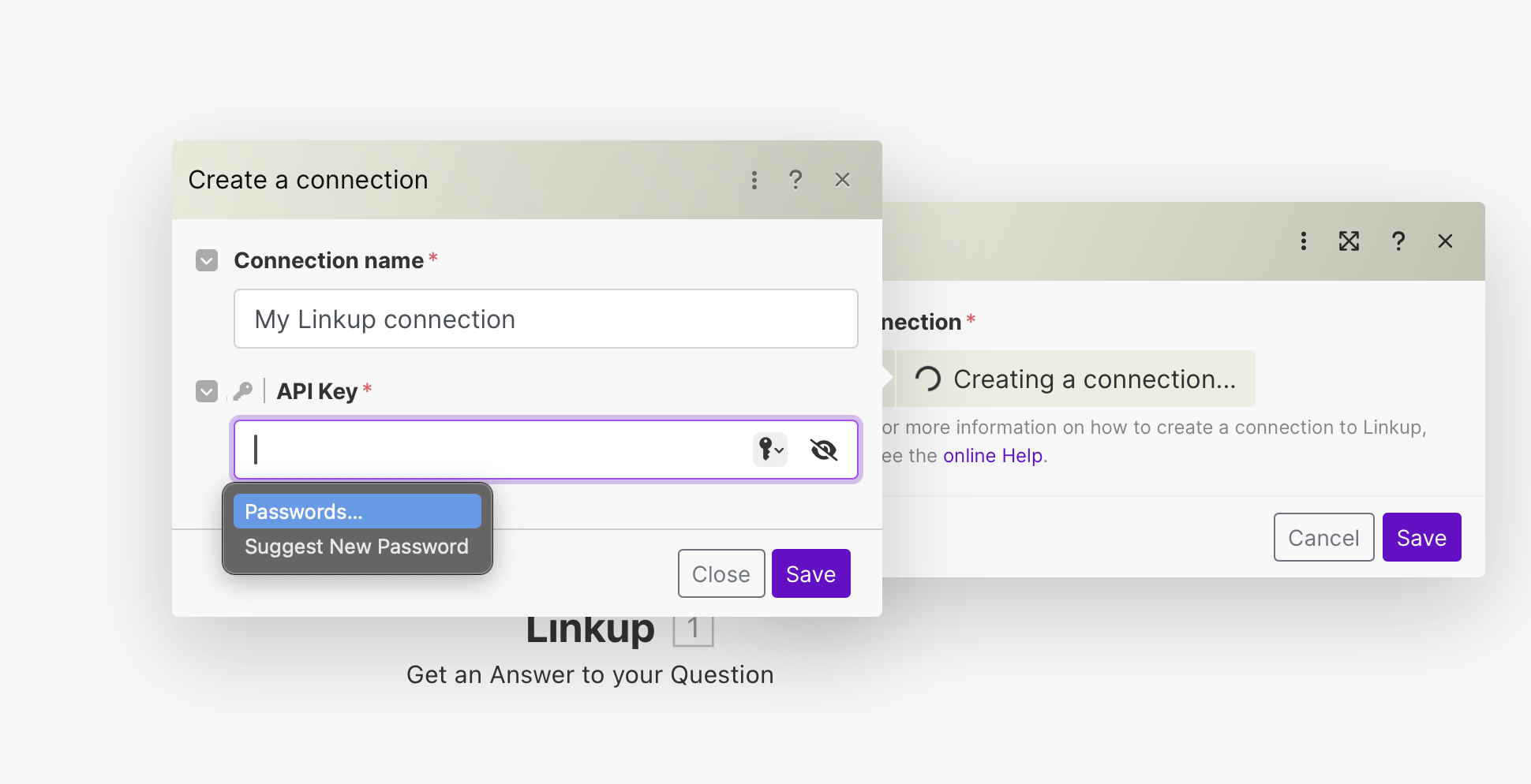 Click on Save to complete the connection.
Enter your search query and choose the depth of the search.
Click on Save to complete the connection.
Enter your search query and choose the depth of the search.
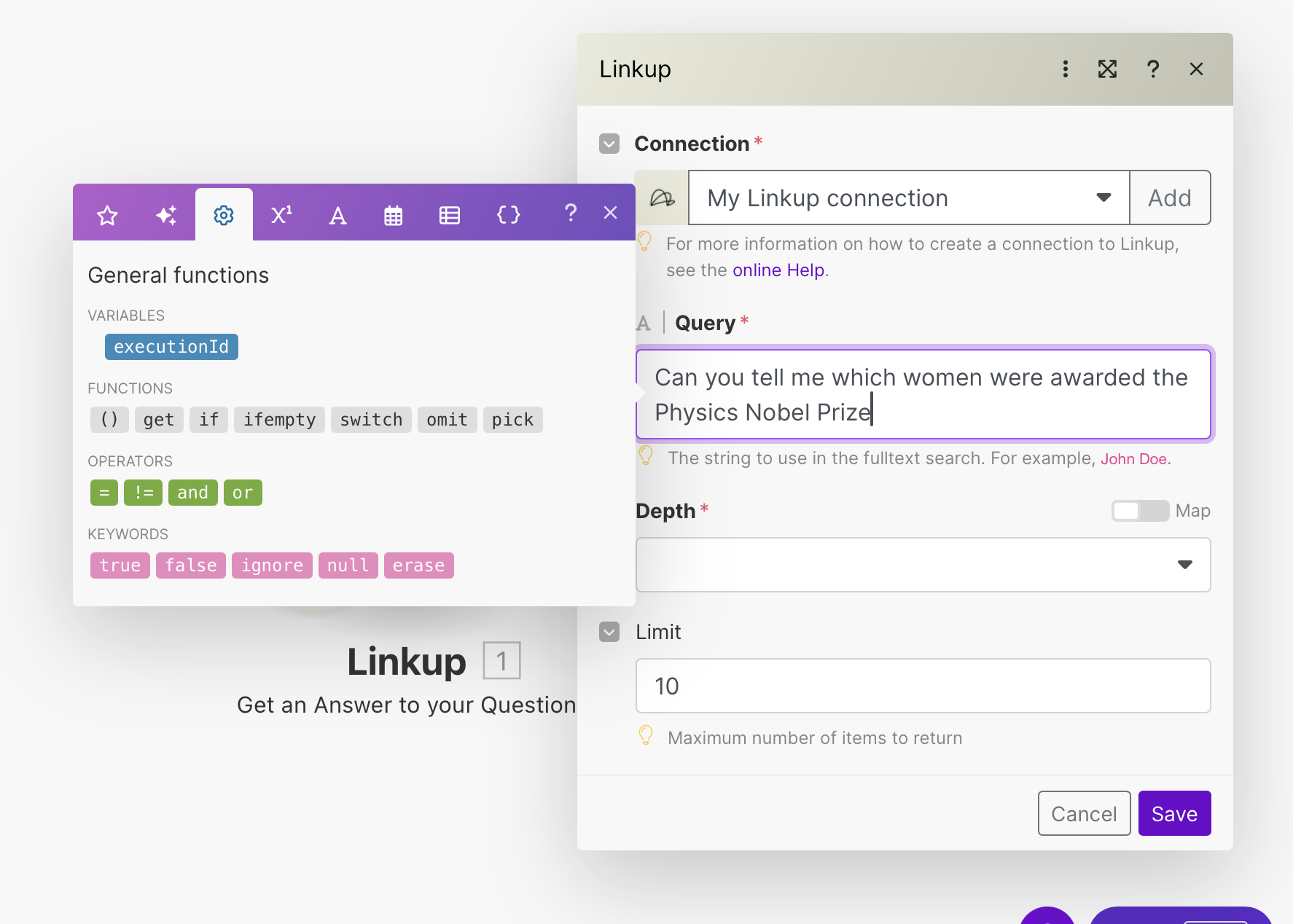
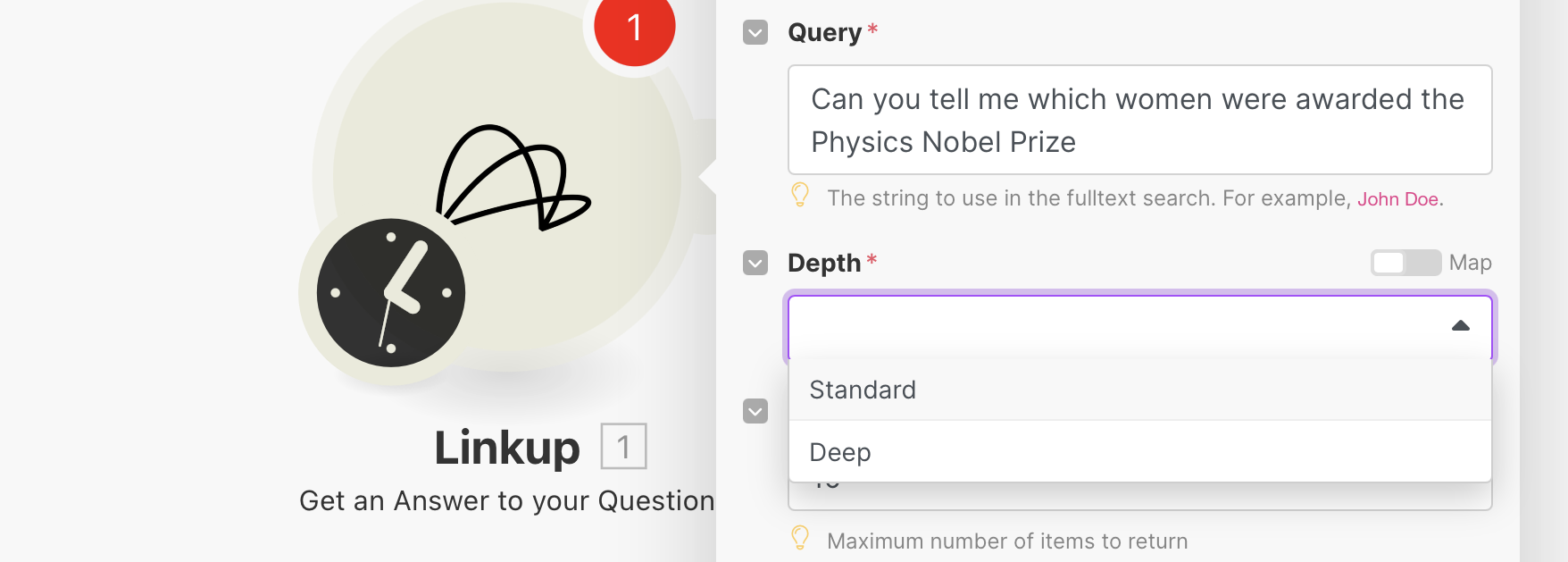 Click on Save to complete the setup.
You are all set to use Linkup in your Make workflow! Visit the [Concepts](/pages/documentation/endpoints/search/overview) page to learn more about the different Linkup parameters.
**Need help?** Email `support@linkup.so`, ping us on [Discord](https://discord.com/invite/9q9mCYJa86), or [talk to us](https://calendar.app.google/zNUZz7RxgMMk9pKW7).
Click on Save to complete the setup.
You are all set to use Linkup in your Make workflow! Visit the [Concepts](/pages/documentation/endpoints/search/overview) page to learn more about the different Linkup parameters.
**Need help?** Email `support@linkup.so`, ping us on [Discord](https://discord.com/invite/9q9mCYJa86), or [talk to us](https://calendar.app.google/zNUZz7RxgMMk9pKW7).