> ## Documentation Index
> Fetch the complete documentation index at: https://docs.linkup.so/llms.txt
> Use this file to discover all available pages before exploring further.
# n8n
> Use the official Linkup node in n8n
## Overview
Use the official [Linkup integration for n8n](https://n8n.io/integrations/linkup/) to add [**Search**](/pages/documentation/endpoints/search/overview), [**Fetch**](/pages/documentation/endpoints/fetch/overview), [**Research**](/pages/documentation/endpoints/research/overview), and [**Tasks**](/pages/documentation/endpoints/tasks/overview) to your workflows.
The Linkup node is verified by n8n and supports the main Linkup actions directly inside the n8n editor.
## Configuration steps
In your n8n workflow, click the + button and search for Linkup.
Select the verified Linkup node.
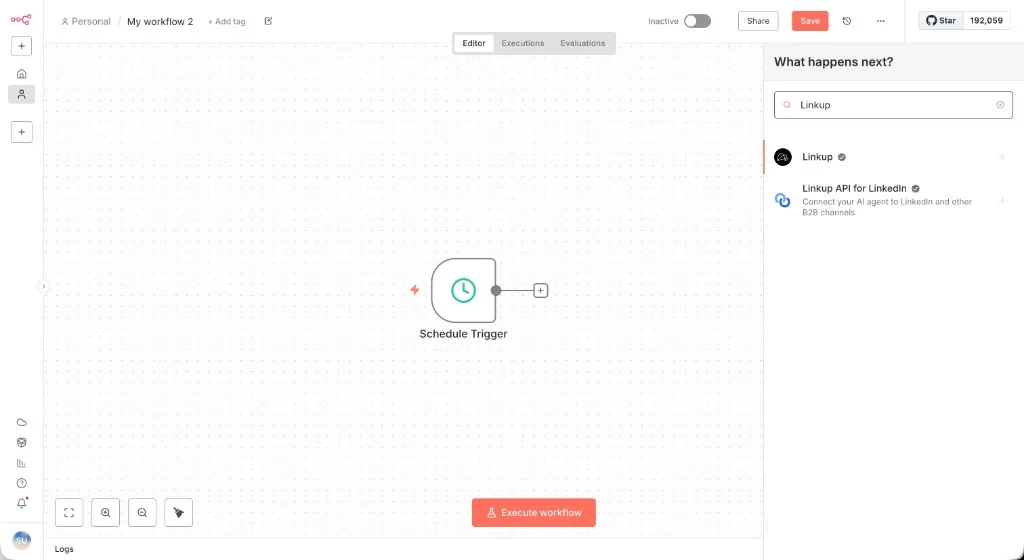 Choose the endpoint your workflow needs. For example, select "Perform a web search" under Search actions to use [**Search**](/pages/documentation/endpoints/search/overview).
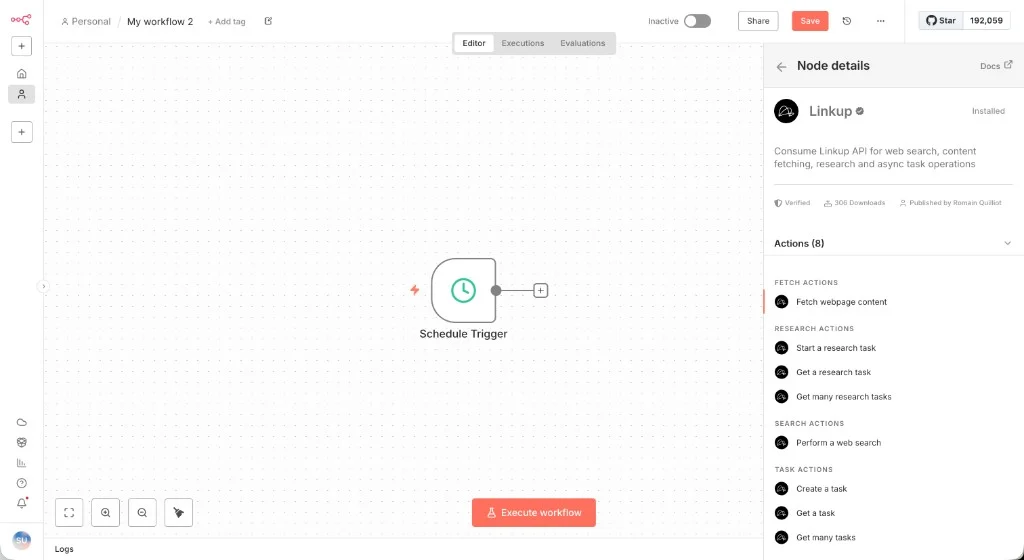 In "Credential to connect with", select an existing Linkup account or click "Create new credential".
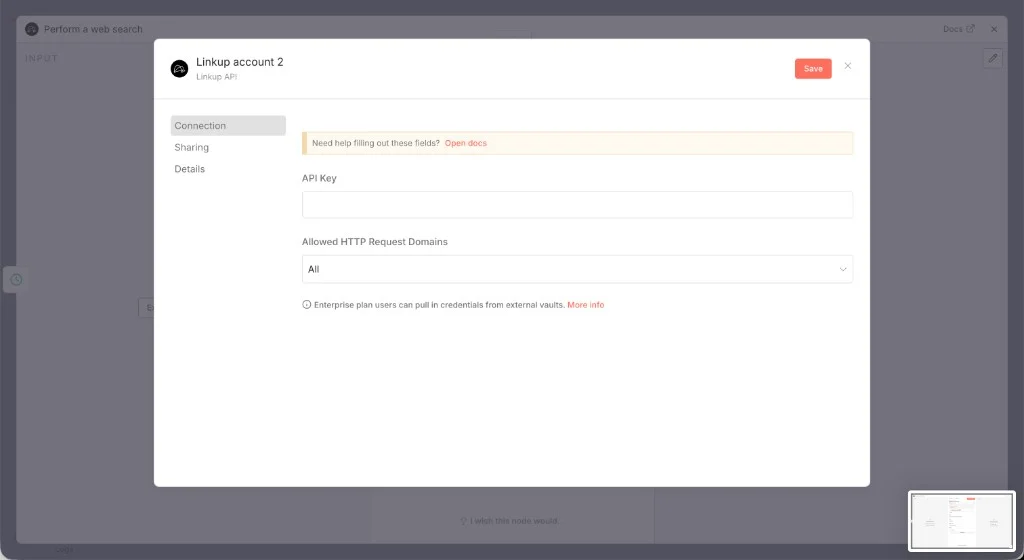
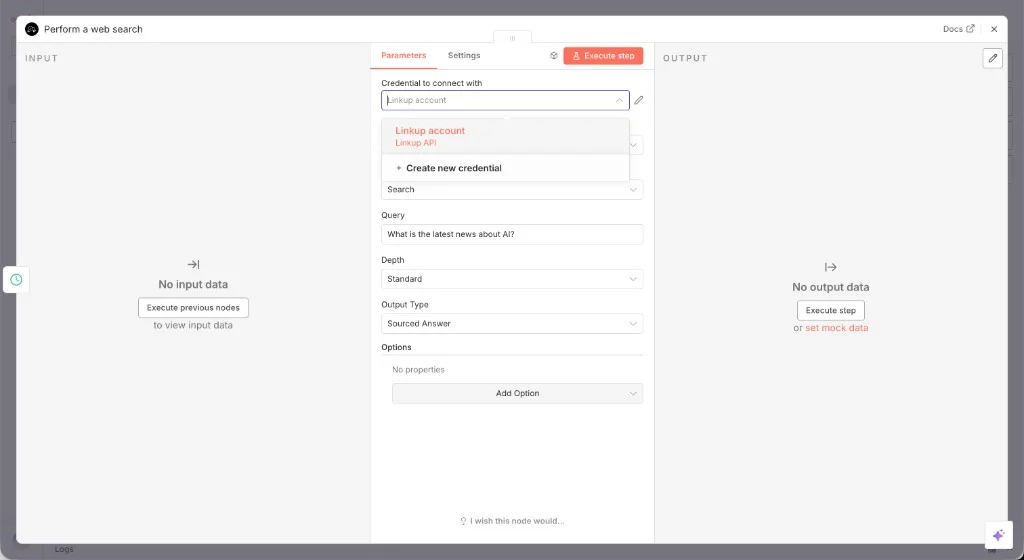 Paste your Linkup API key and save the credential.
Create a Linkup account for free to get your API key.
Paste your Linkup API key and save the credential.
Create a Linkup account for free to get your API key.
 Enter your query, choose the `depth` and `outputType`, then execute the node.
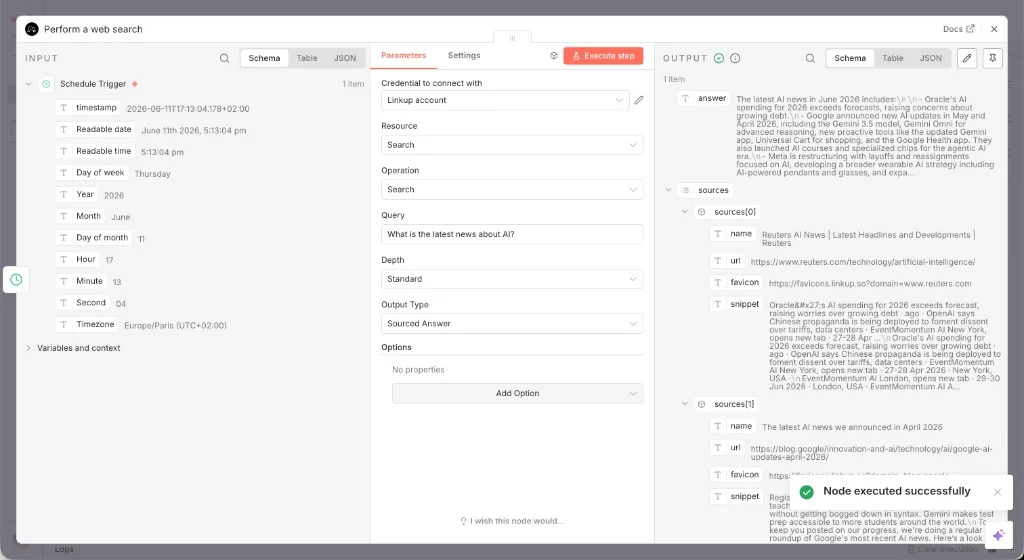 You are all set to use Linkup in your n8n workflow! Visit the [**Search** overview](/pages/documentation/endpoints/search/overview), [**Fetch** overview](/pages/documentation/endpoints/fetch/overview), [**Research** overview](/pages/documentation/endpoints/research/overview), or [**Tasks** overview](/pages/documentation/endpoints/tasks/overview) to learn more about each Linkup capability.
## Use an HTTP Request node
If you need to call a Linkup API endpoint that is not covered by the n8n node yet, use n8n's HTTP Request node with your Linkup API key as a bearer token.
For example, call `POST https://api.linkup.so/v1/search` with this JSON body:
```json theme={"system"}
{
"q": "How's the weather in Paris today?",
"depth": "standard",
"outputType": "sourcedAnswer"
}
```
**Need help?** Email `support@linkup.so`, ping us on [Discord](https://discord.com/invite/9q9mCYJa86), or [talk to us](https://calendar.app.google/zNUZz7RxgMMk9pKW7).
You are all set to use Linkup in your n8n workflow! Visit the [**Search** overview](/pages/documentation/endpoints/search/overview), [**Fetch** overview](/pages/documentation/endpoints/fetch/overview), [**Research** overview](/pages/documentation/endpoints/research/overview), or [**Tasks** overview](/pages/documentation/endpoints/tasks/overview) to learn more about each Linkup capability.
## Use an HTTP Request node
If you need to call a Linkup API endpoint that is not covered by the n8n node yet, use n8n's HTTP Request node with your Linkup API key as a bearer token.
For example, call `POST https://api.linkup.so/v1/search` with this JSON body:
```json theme={"system"}
{
"q": "How's the weather in Paris today?",
"depth": "standard",
"outputType": "sourcedAnswer"
}
```
**Need help?** Email `support@linkup.so`, ping us on [Discord](https://discord.com/invite/9q9mCYJa86), or [talk to us](https://calendar.app.google/zNUZz7RxgMMk9pKW7).