> ## Documentation Index
> Fetch the complete documentation index at: https://docs.linkup.so/llms.txt
> Use this file to discover all available pages before exploring further.
# SurfSense
> How to use Linkup with SurfSense
## Overview
Linkup can be used with [SurfSense](https://github.com/MODSetter/SurfSense) as a Search Engine connector to create advanced AI agents and workflows based on internal and web data.
## Getting Started with Linkup in SurfSense
Follow the guides here.
1. [Setting up Docker](https://github.com/MODSetter/SurfSense/blob/main/surfsense_web/content/docs/docker-installation.mdx)
2. [Setting up environment variables](https://github.com/MODSetter/SurfSense/blob/main/surfsense_web/content/docs/index.mdx)
Create a Linkup account for free to get your API key.
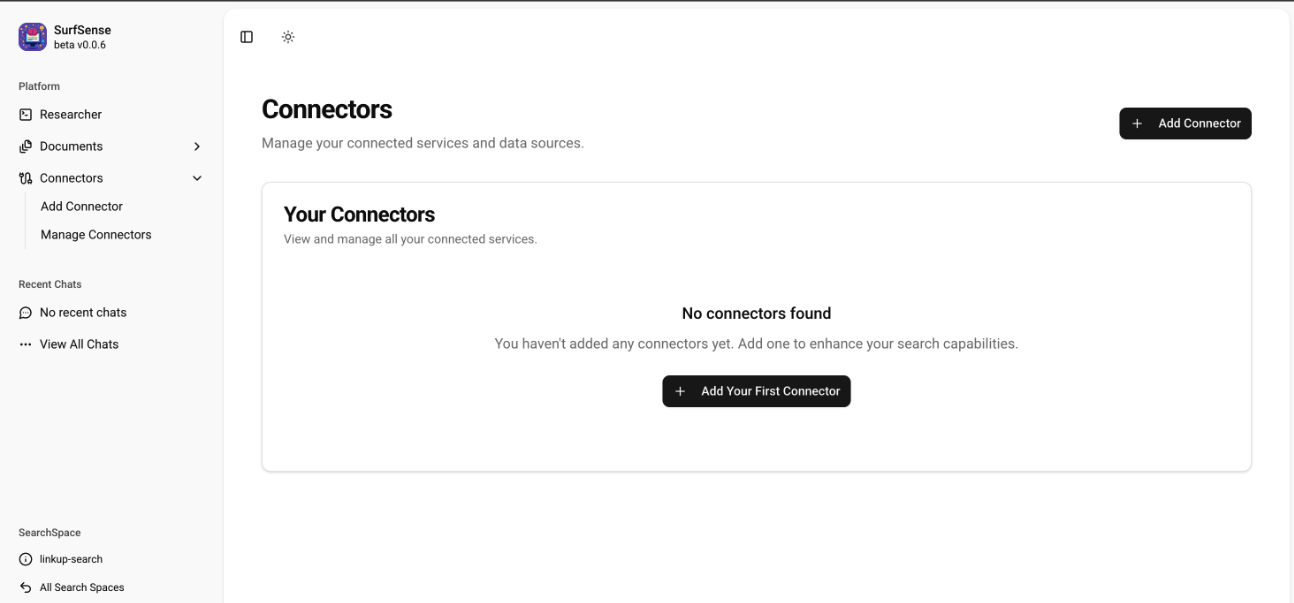
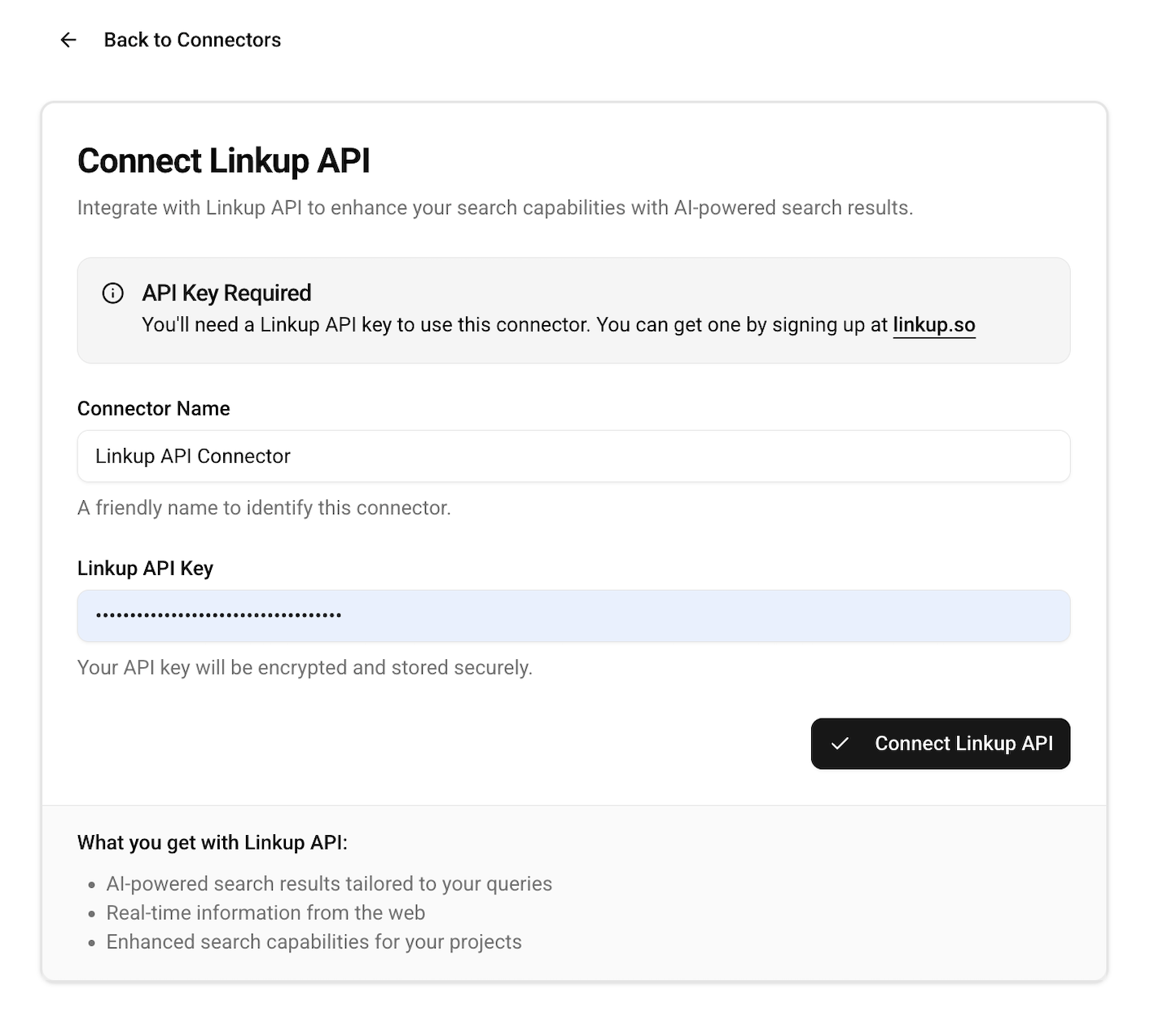
Navigate to the Add Connector page under Connectors section in SurfSense and configure with your Linkup API Key.
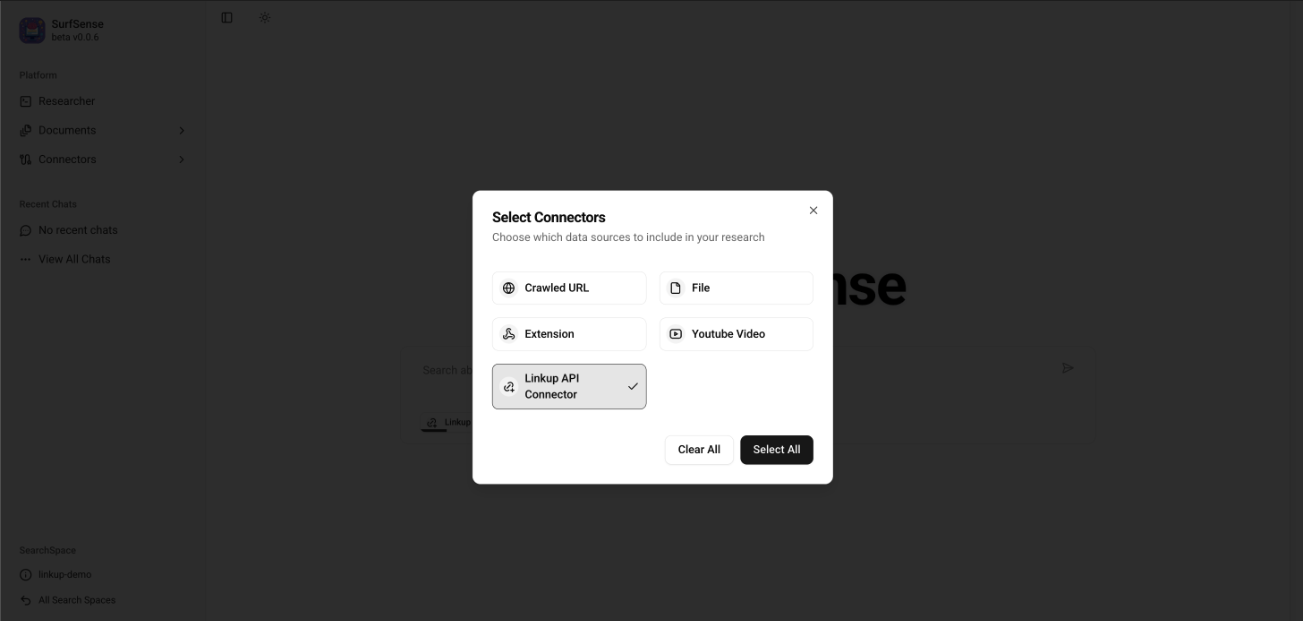
 While performing a query under Researcher, select the Linkup Connector and save it.
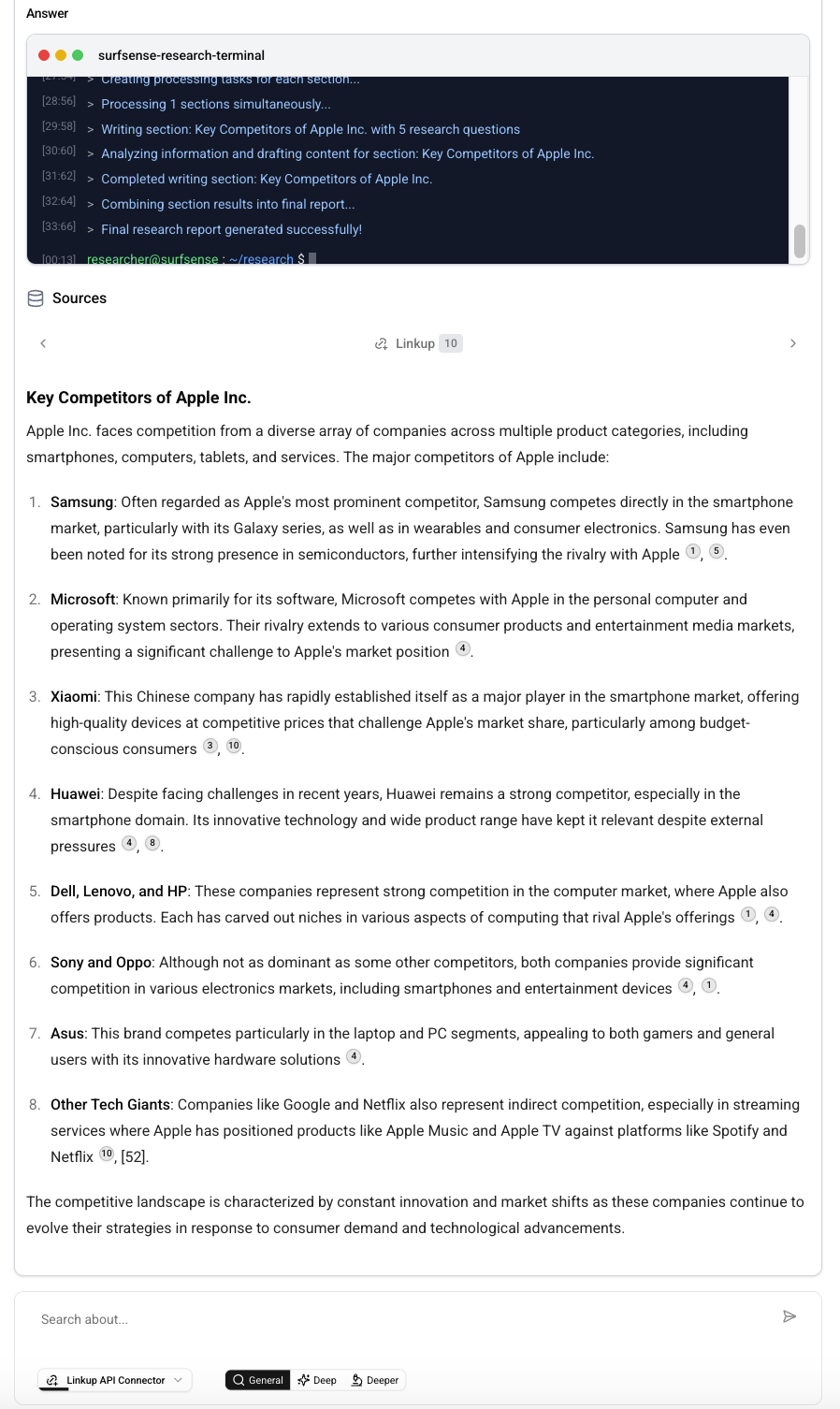
 You are all set to use the Linkup [**Search**](/pages/documentation/endpoints/search/overview) API with SurfSense.
## Example
You are all set to use the Linkup [**Search**](/pages/documentation/endpoints/search/overview) API with SurfSense.
## Example
 **Need help?** Email `support@linkup.so`, ping us on [Discord](https://discord.com/invite/9q9mCYJa86), or [talk to us](https://calendar.app.google/zNUZz7RxgMMk9pKW7).