

Prerequisites
Before starting, ensure you have:- Python 3.7 or newer installed
- Basic familiarity with Python programming
- A Linkup API key (required for making requests)
Get your API key
Create a Linkup account for free to get your API key.
Project setup
Let’s start by creating a new project and installing the necessary dependencies:shell
Implementation guide
1. Define your data structure
First, we’ll create a data model that specifies exactly what company information we want to collect. Create a new file calledschema.py:
python
2. Build the intelligence engine
Next, createcompany_intel.py to handle the core functionality:
python
3. Create the API layer
Now let’s make our intelligence engine accessible via HTTP. Createapi.py:
python
Using the system
Basic usage example
At first, let’s use the intelligence engine directly in Python. We will create a new file calledmain.py and add the following code to it:
python
Get your API key
Create a Linkup account for free to get your API key.
shell
Running the API server
Let’s now try our API server.shell
http://localhost:8000/docs.
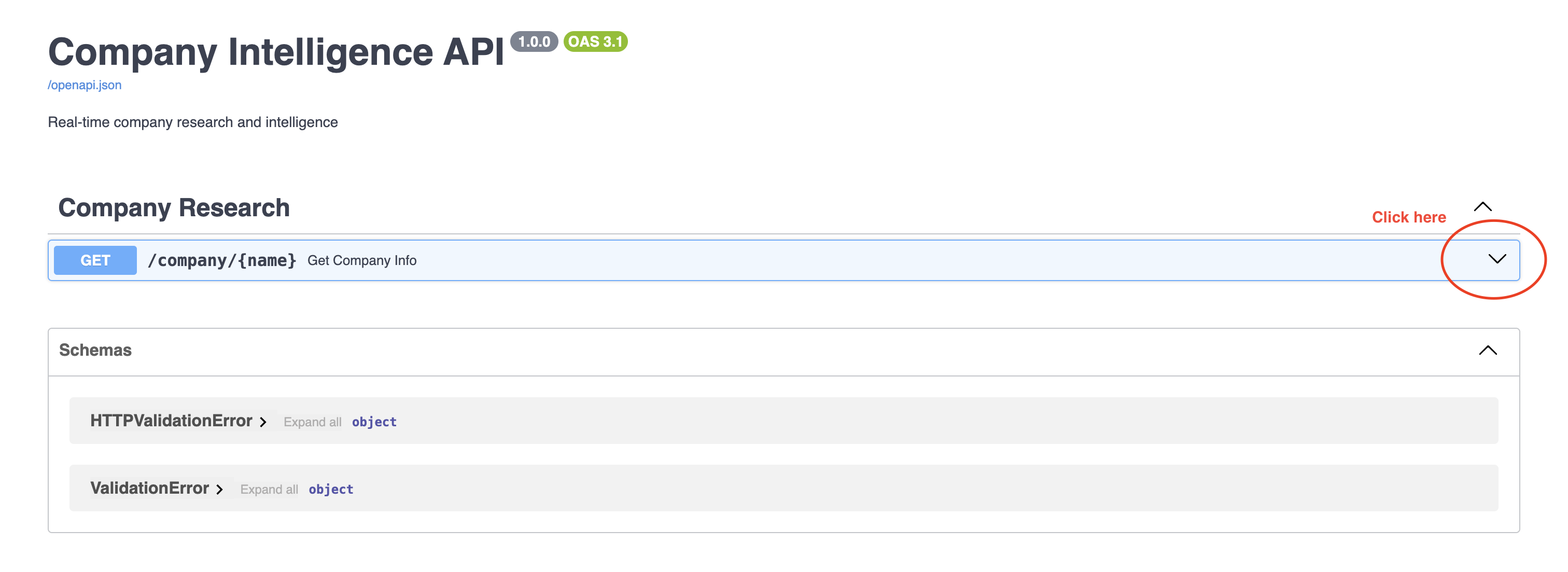
Step 1
Click on the endpointGET /company/{name}, and click on the Try it out button.
Step 2
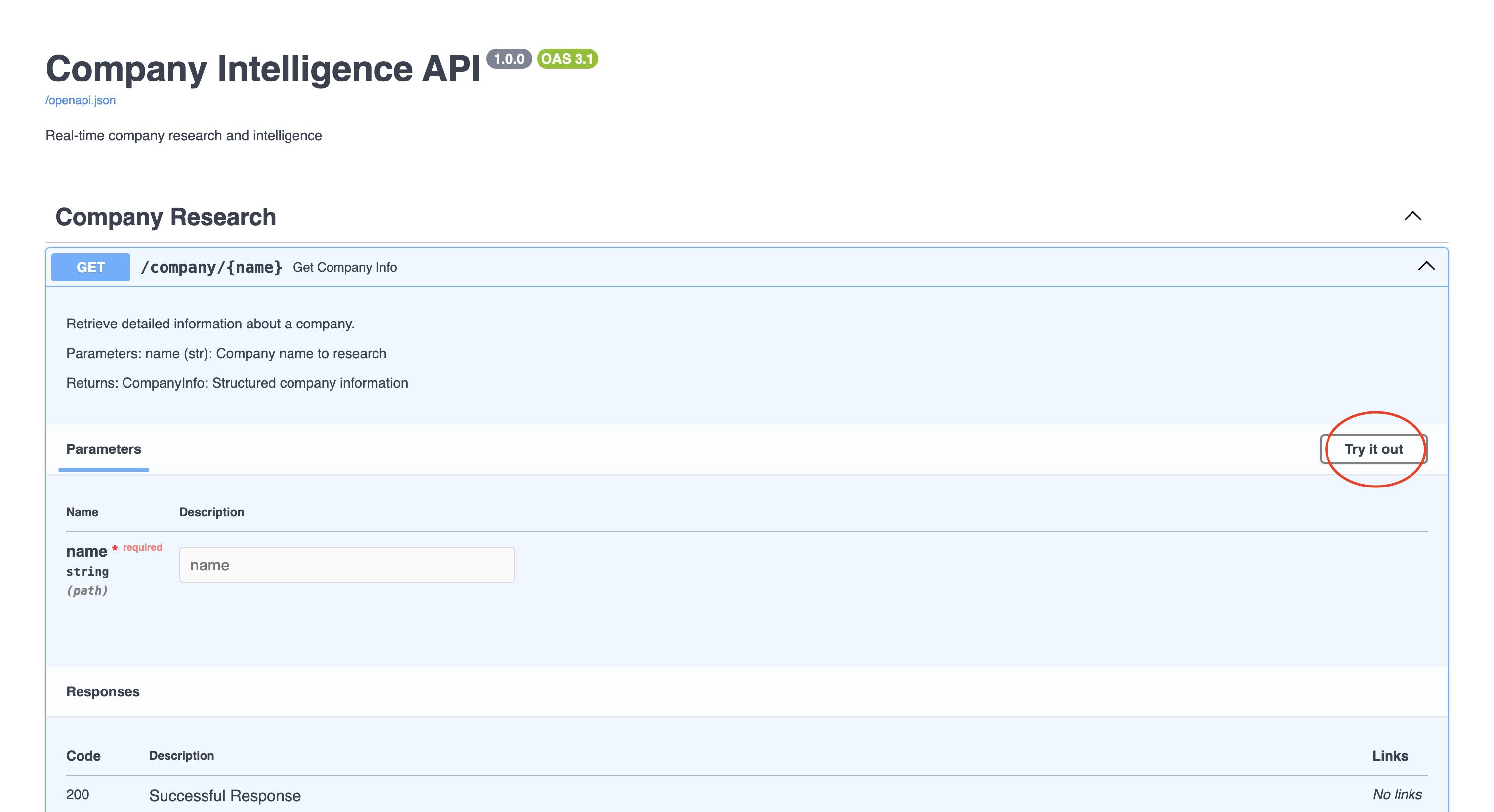
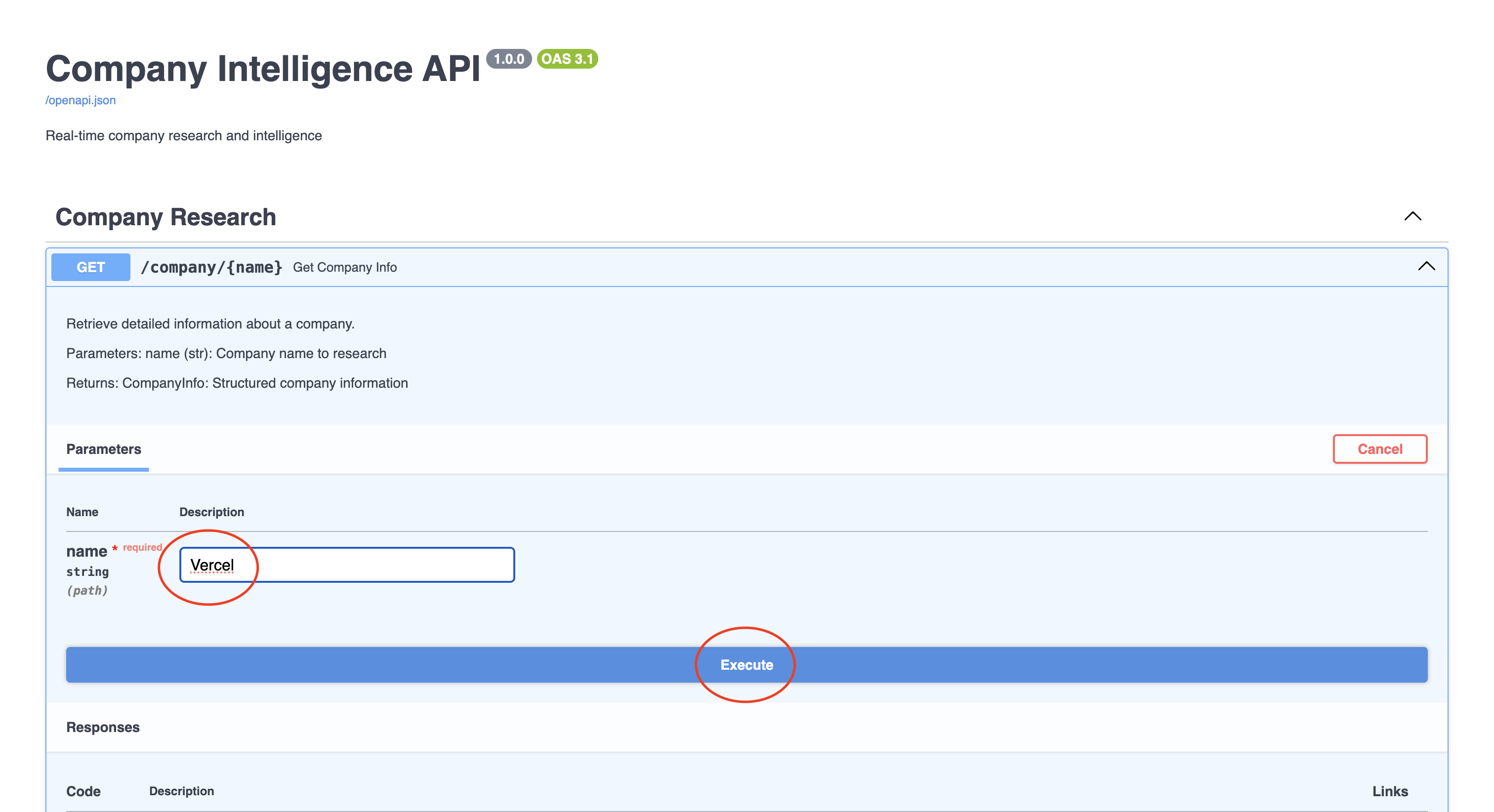
Vercel, and click on the Execute button.
Step 3
Step 4
You should see the response in JSON format.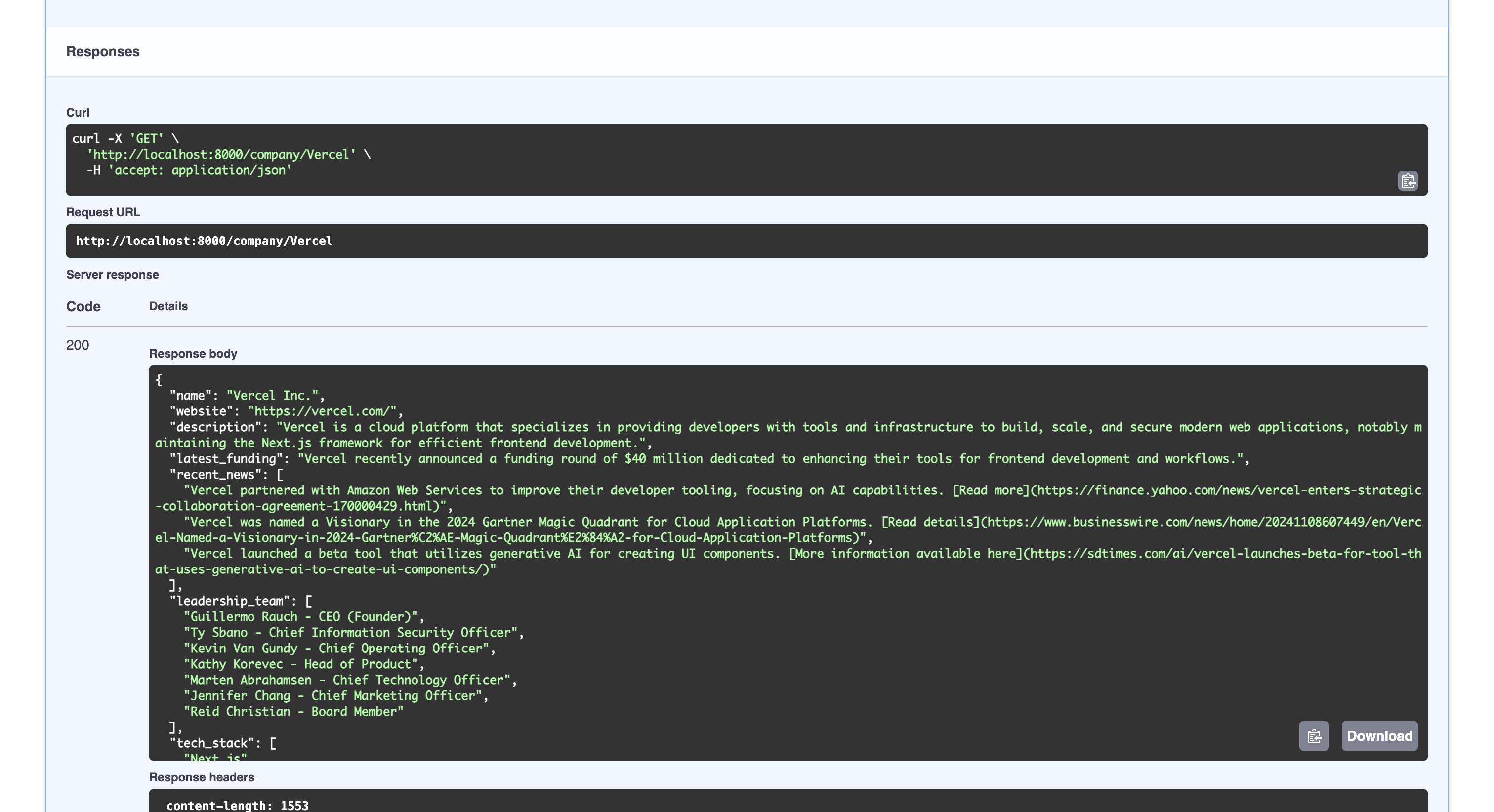
Response examples
Successful response
A typical successful request to/company/Vercel returns:
Error responses
The API returns appropriate error responses in these situations:Company not found
Invalid API key
Rate limit exceeded
Engine response fields
Best practices
For production use, consider implementing these best practices:-
Error handling
- Implement comprehensive error handling for API calls
- Log errors appropriately
- Provide meaningful error messages to users
-
Rate limiting
- Implement rate limiting to avoid API quota issues
- Consider using a queue for batch processing
- Add retry logic for failed requests
-
Caching
- Cache frequently requested company data
- Use appropriate TTL values based on data freshness requirements
- Implement cache invalidation strategies
-
Data validation
- Validate all input data
- Use Pydantic’s validation features
- Implement data cleaning where necessary
Common applications
This system can be used for:- Pre-sales research automation
- CRM data enrichment
- Competitor monitoring
- Market intelligence gathering
- Investment research
- Due diligence automation
Conclusion
You now have a company intelligence engine that provides:- Real-time company information
- Structured, consistent data
- Easy API access
- Extensible architecture
- Keep your API key secure
- Respect API rate limits
- Implement appropriate caching for your use case
- Add error handling for production use
Need help? Email
support@linkup.so, ping us on Discord, or talk to us.