

Overview
You can connect a Clay table to web search through Linkup, which can be used as an enrichment provider to get contextual information from the internet for your prospects and leads. Below is a short Youtube Tutorial:Installation
1. Open Clay
Go to your Clay account and navigate to the table you would like to enrich.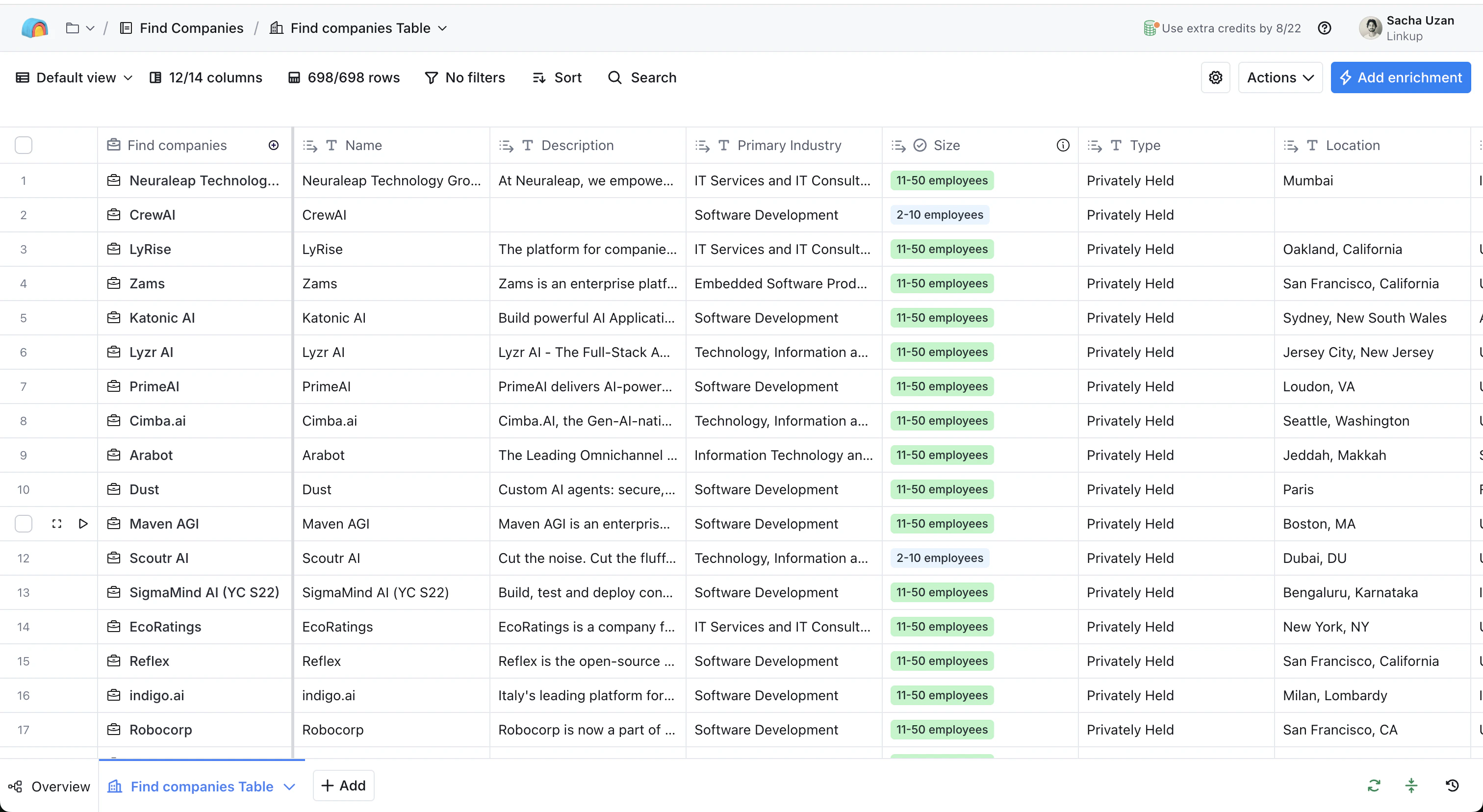
2. Add HTTP API Enrichment
Click on “Add enrichment” and search for HTTP API.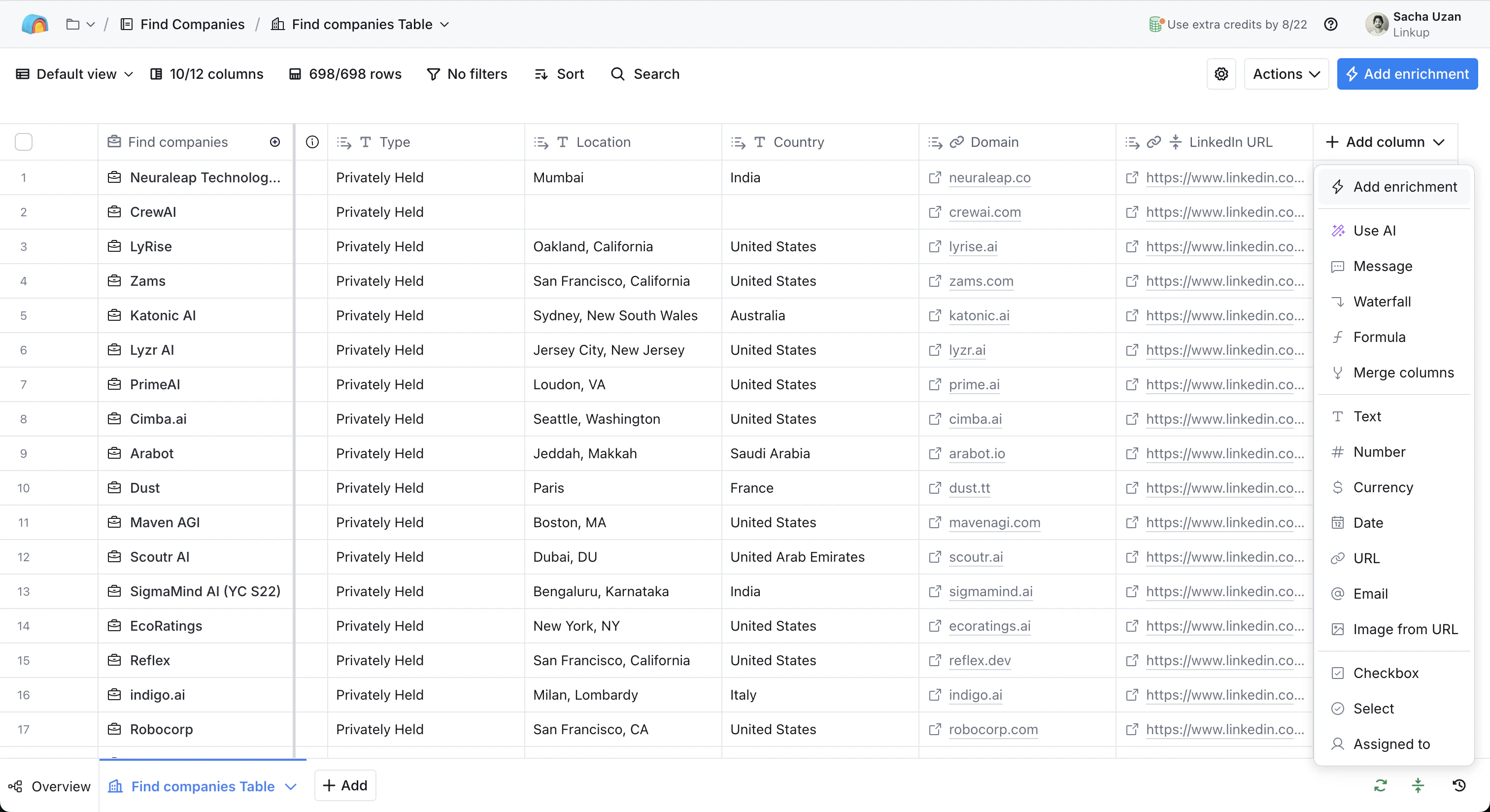
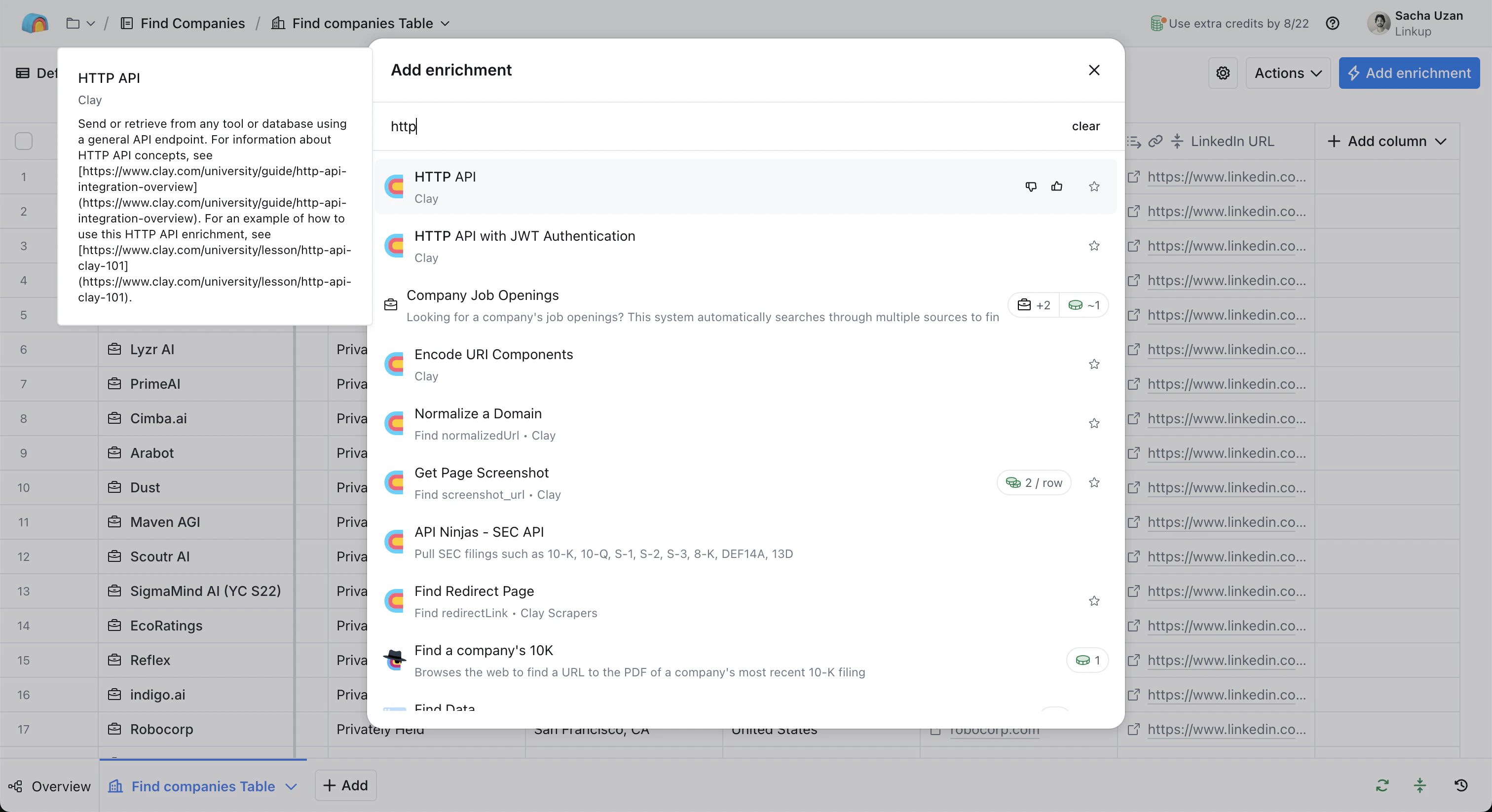
3. Configure the HTTP API to call the Linkup API
After clicking on HTTP API, you will see the configuration sidebar opening.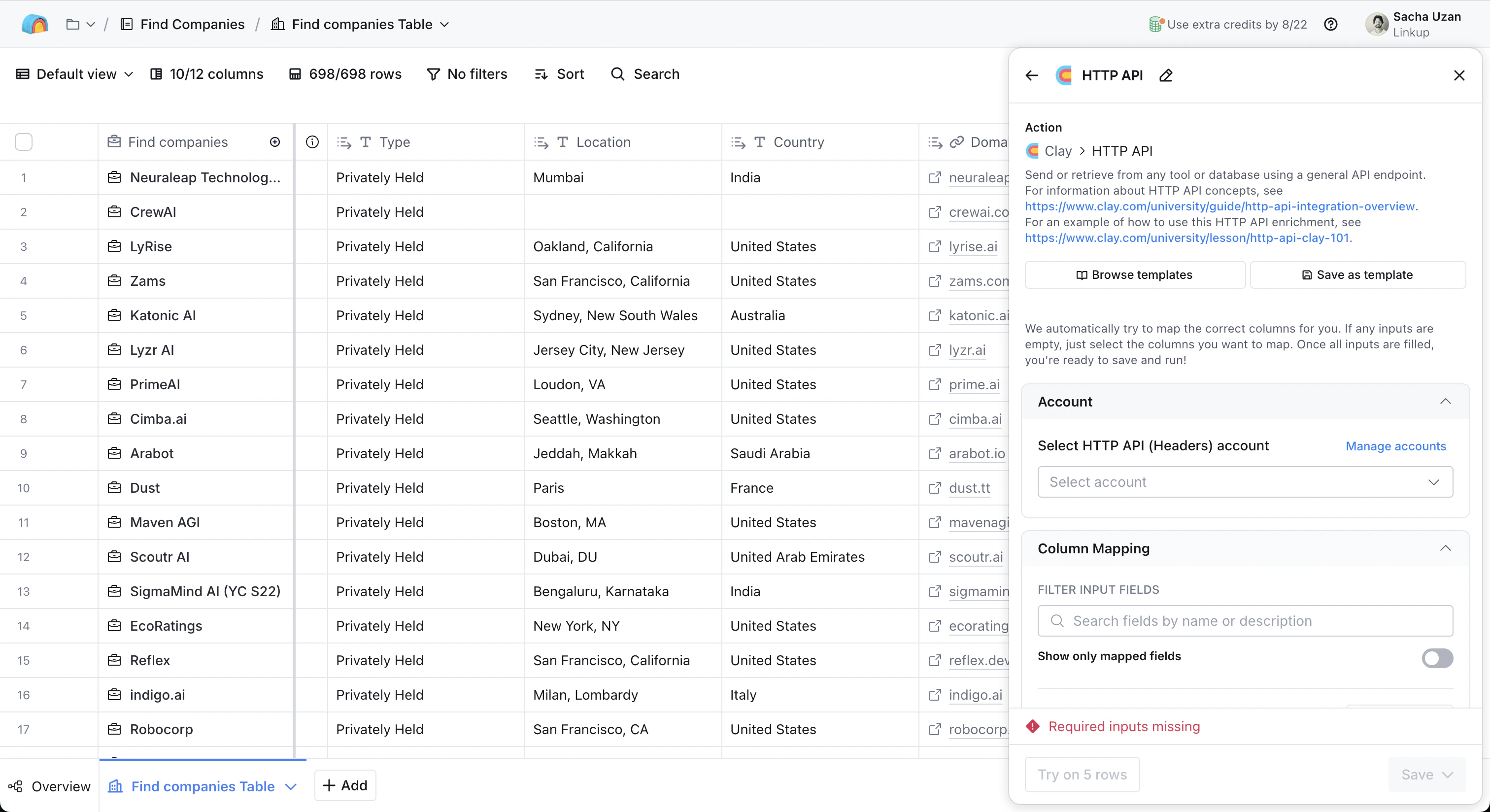
- Endpoint & Header (think of it as the address and name you would put on an envelope)
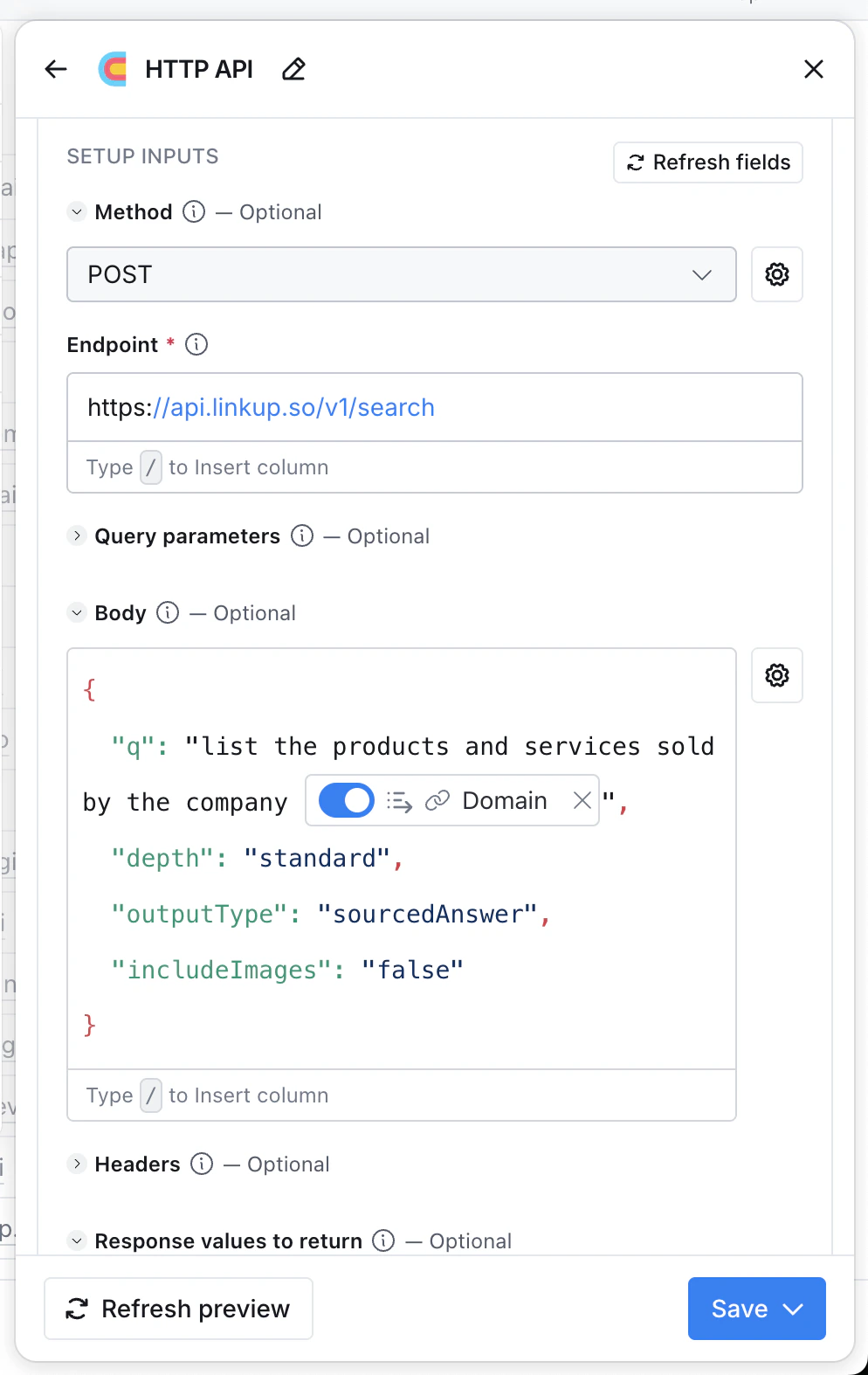
- Body (the actual content of the letter)
Authorization/Bearer {your API key}Content-Type/application/json
Get your API key
Create a Linkup account for free to get your API key.
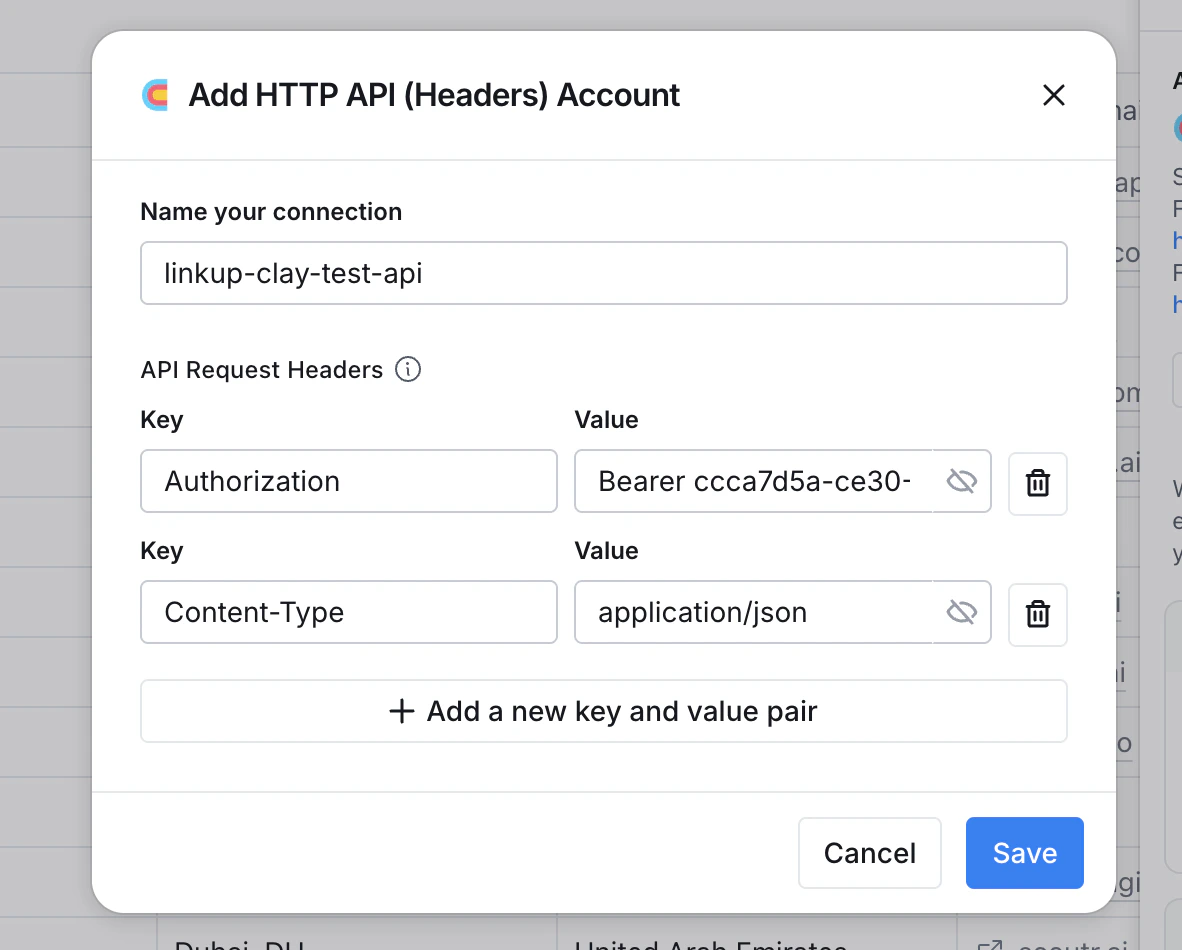
https://api.linkup.so/v1/search, using the POST method.
Then for the Body, you need to send the query parameters of the API (see the API Reference for more details on outputType, filters, and depth).
You can copy the configuration below, replacing “q” with your actual query:
4. Call the API and create a new column for the results
You can then save and run the column directly from the table. Important: This column will not get you the enriched data directly, but shows the API response. You need to open the API response and create a new column based on the field “answer”, which is included in the response.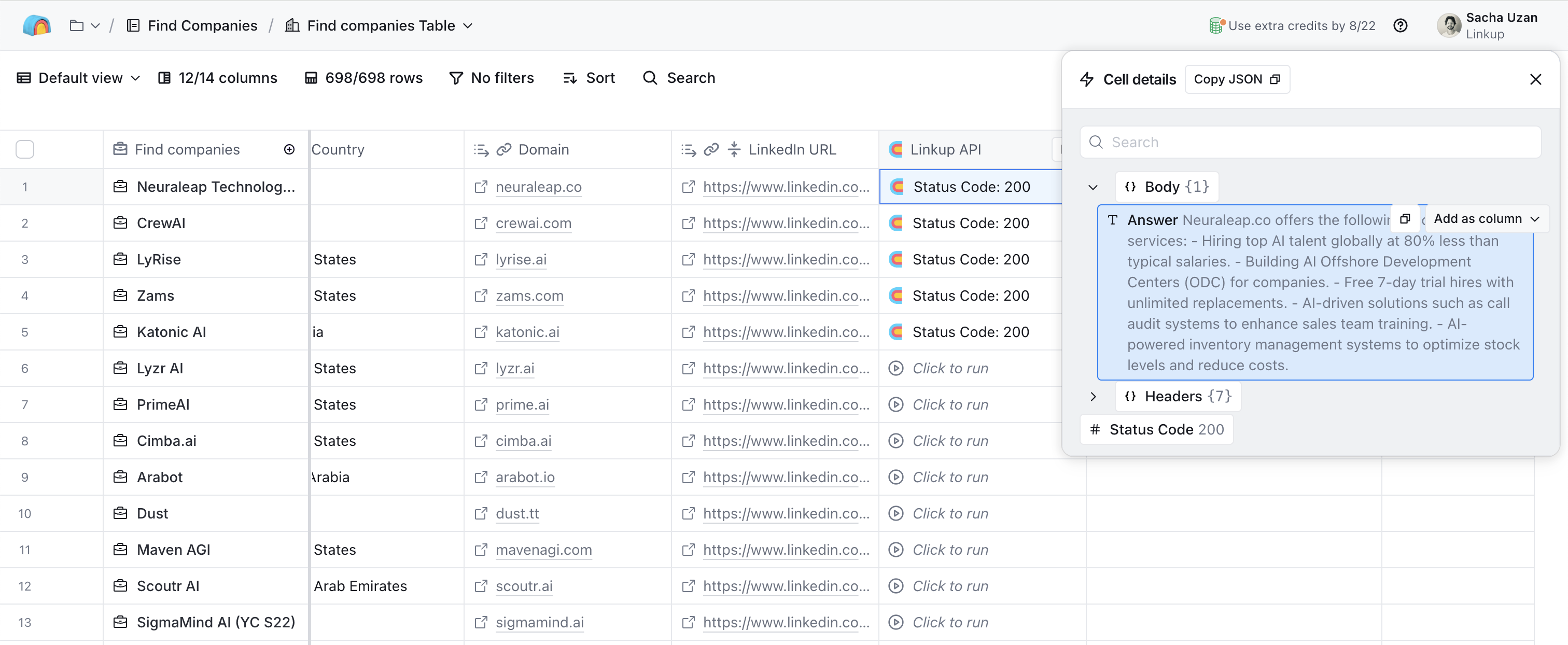
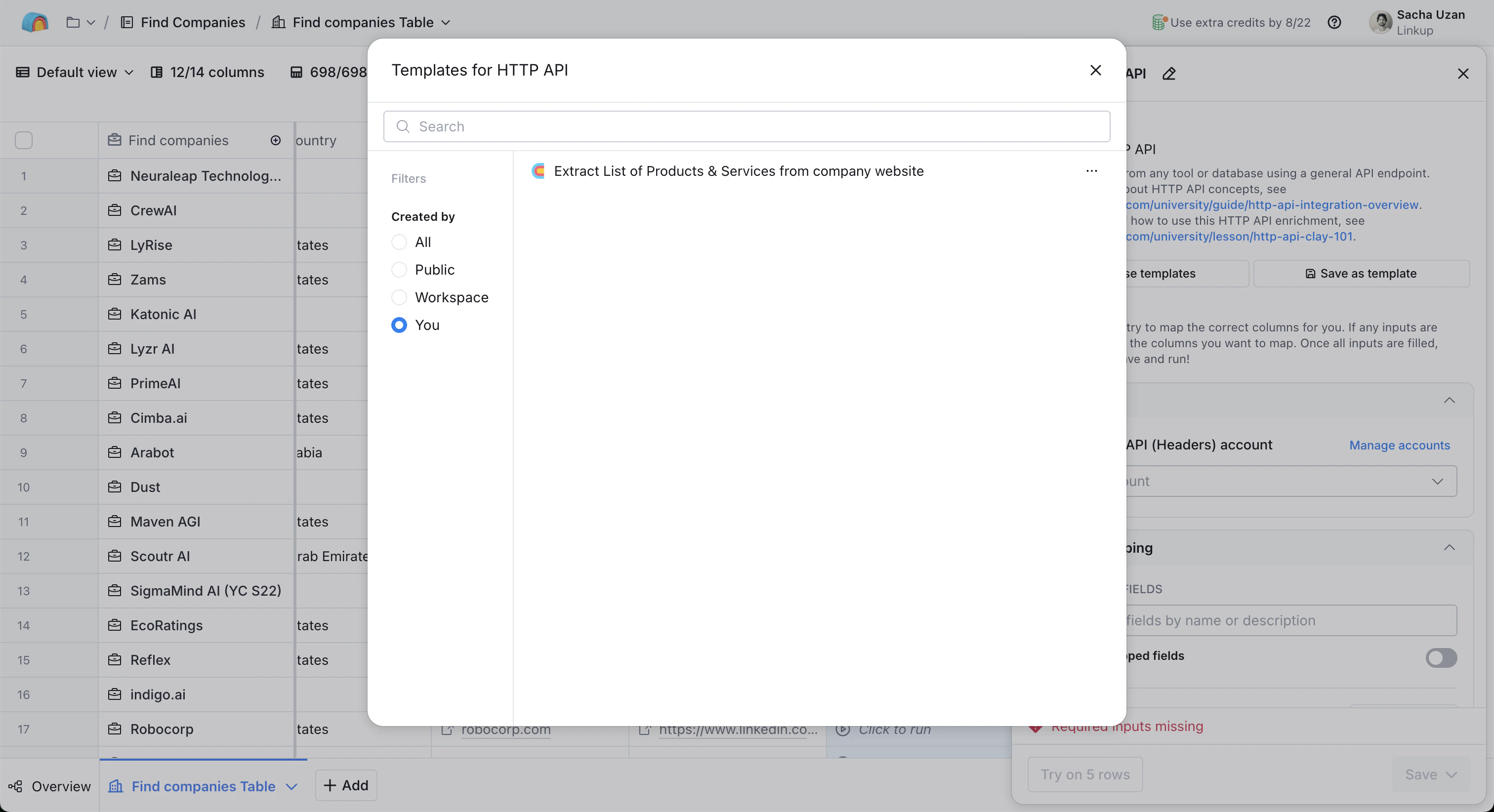
5. Save the enrichment as a template and reuse it with different queries
If you open the configuration panel of the HTTP API call, you can save the parameters as a new template, and then re-use this template in new columns. All you will have to change is your query. \
\
Use Cases
Company Intelligence & Research- Research any company based on its website or public information
- Find detailed information about customers, job positions, office locations
- Discover funding stages, technology stacks, and SOC-II compliance status
- Analyze competitive landscape and market positioning
- Automate the research process to identify highly-qualified leads
- Gather contextual information that helps prioritize prospects
- Filter leads based on your ideal customer profile (ICP) criteria
- Automatically gather facts about companies and contacts before sales calls
- Replace manual Googling with automated research
- Create more confident, relevant conversations with prospects
- Find companies of particular sizes that use specific technologies
- Identify prospects that aren’t in your CRM yet
- Expand your total addressable market (TAM) with targeted research
- Obtain valid email addresses and contact information
- Research across various platforms and public sources
- Automate contact discovery in one streamlined process
- Analyze competitors and their market positioning
- Research industry trends and market opportunities
- Gather intelligence to inform your sales strategy
- Track key customer events and buying signals
- Monitor company changes like hiring sprees or funding announcements
- Identify technology adoptions that indicate sales opportunities
- Research existing customers to identify expansion opportunities
- Analyze renewal risks and success patterns
- Monitor public activities and business changes for upsell signals
Need help? Email
support@linkup.so, ping us on Discord, or talk to us.