

FriendliAI’s Playground
Linkup’s web search can be turned on directly in FriendliAI’s API playground.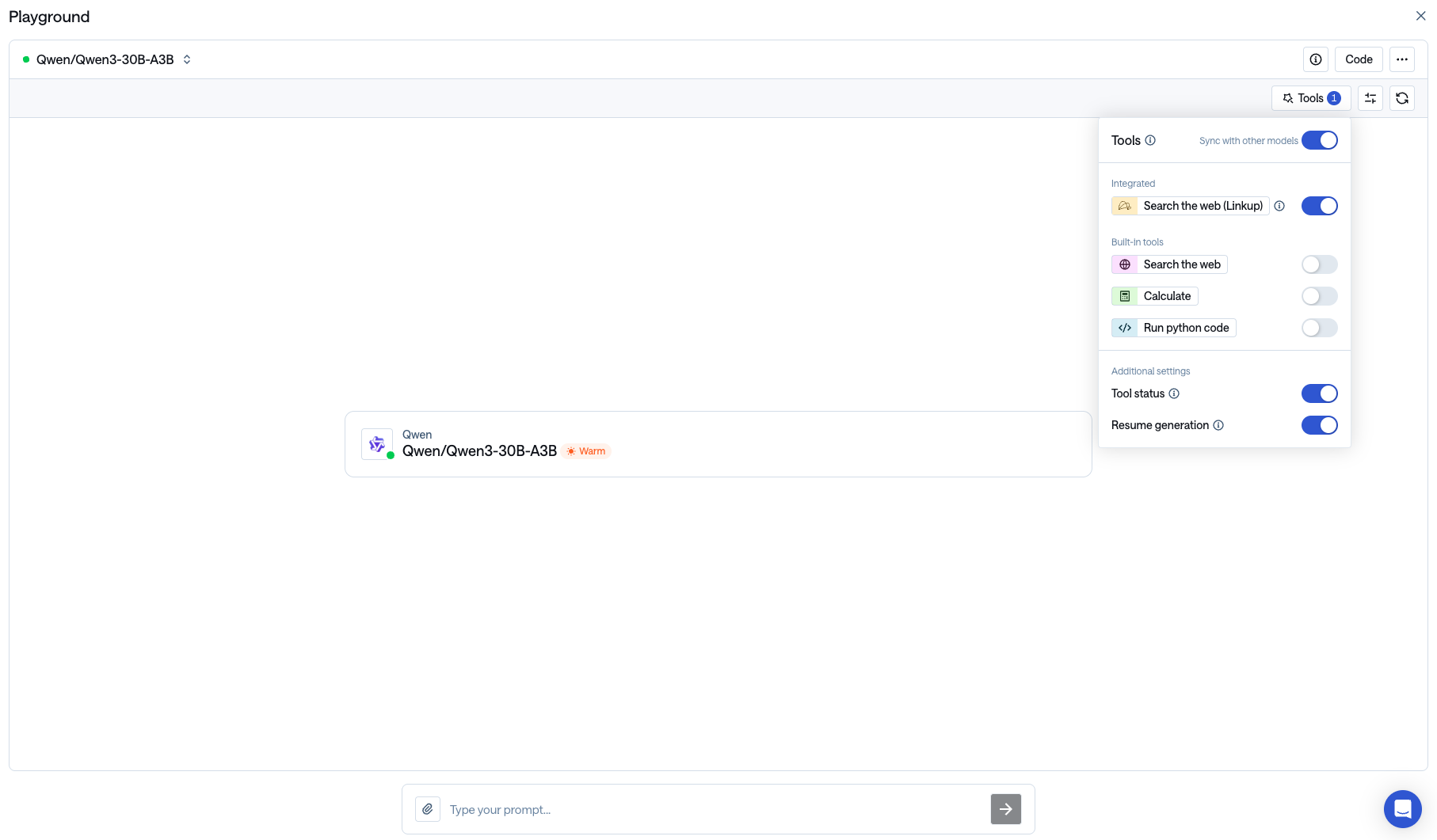
FriendliAI’s API Integitgration
Linkup’s web search can be integrated as a default tool in calls made to the FriendliAI serverless APIs, simply by adding"tools": [{ "type": "linkup:search" }] in your OpenAI format API call.
To that end, follow these steps:
Create your FriendliAI account
Create a new FriendliAI account if you don’t have one yet.
Subscribe to the free trial
You need to enroll in the Serverless Endpoints product free trial. Information can be found here.
Add your Linkup API key to your FriendliAI account
Get your API key
Create a Linkup account for free to get your API key.
Make your first API call
In the following code snippet,
FRIENDLI_TOKEN refers to your Personal Access Token, which you can obtain from Personal settings > Settings > Tokens (guide).
Make sure your Linkup integration is enabled in your Friendli account before calling the API — otherwise the
linkup:search tool will error.Facing issues? Reach out to our engineering team at support@linkup.so or via our Discord or book a 15 minutes call with a member of our technical team.