

Overview
Use the official Linkup integration for n8n to add Search, Fetch, Research, and Tasks to your workflows. The Linkup node is verified by n8n and supports the main Linkup actions directly inside the n8n editor.Configuration steps
1
Search for the Linkup node
In your n8n workflow, click the + button and search for Linkup.Select the verified Linkup node.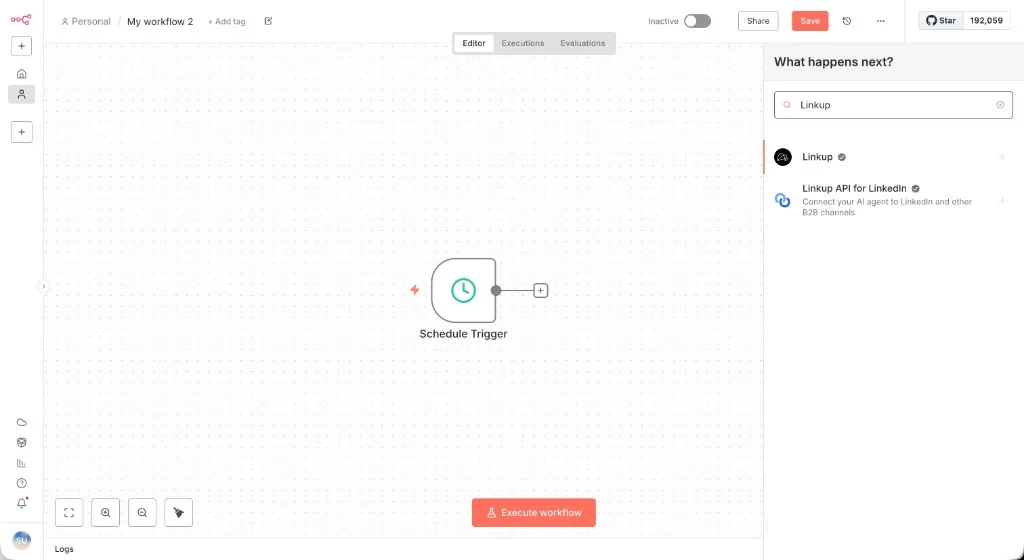
2
Select the desired endpoint
Choose the endpoint your workflow needs. For example, select “Perform a web search” under Search actions to use Search.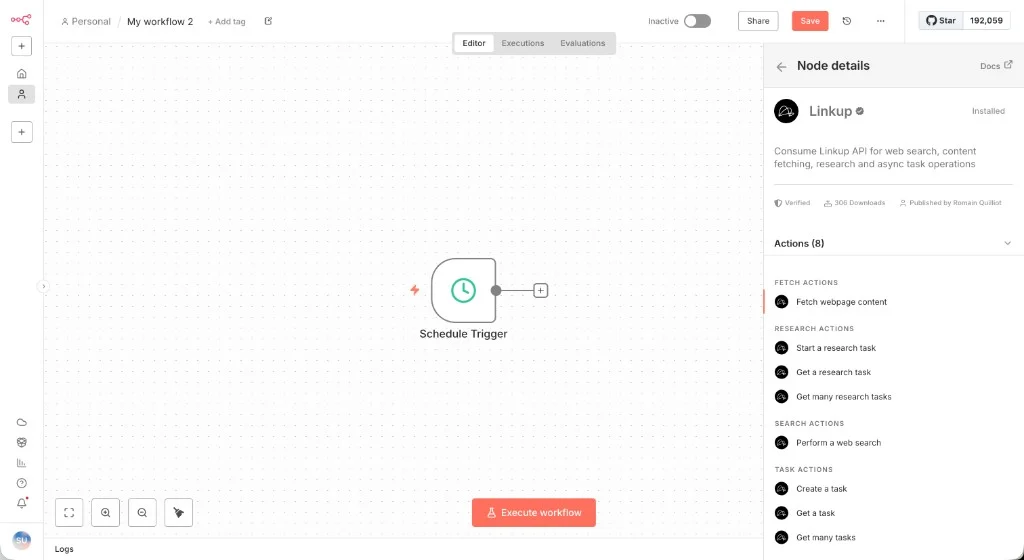
3
Connect your credentials
In “Credential to connect with”, select an existing Linkup account or click “Create new credential”.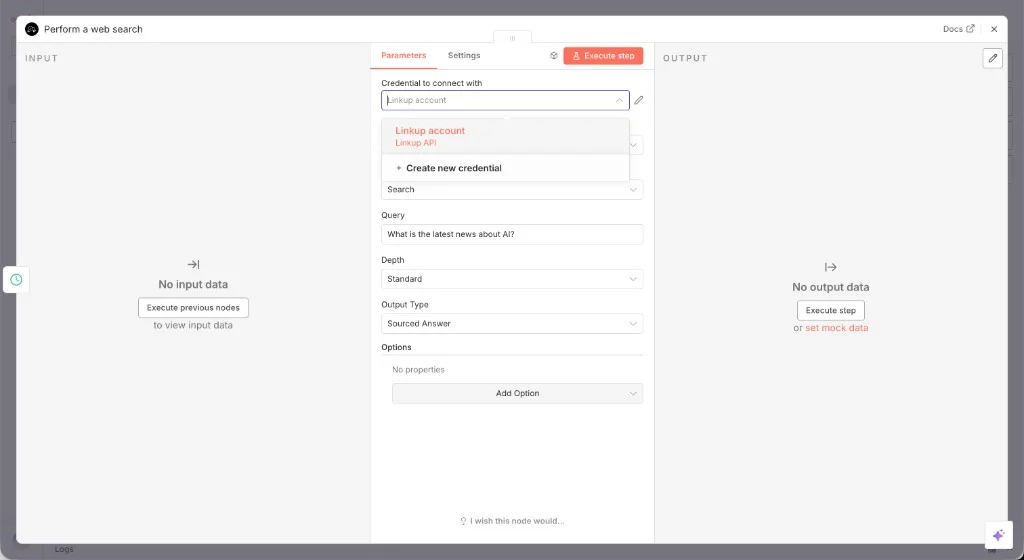
4
Add your API key
Paste your Linkup API key and save the credential.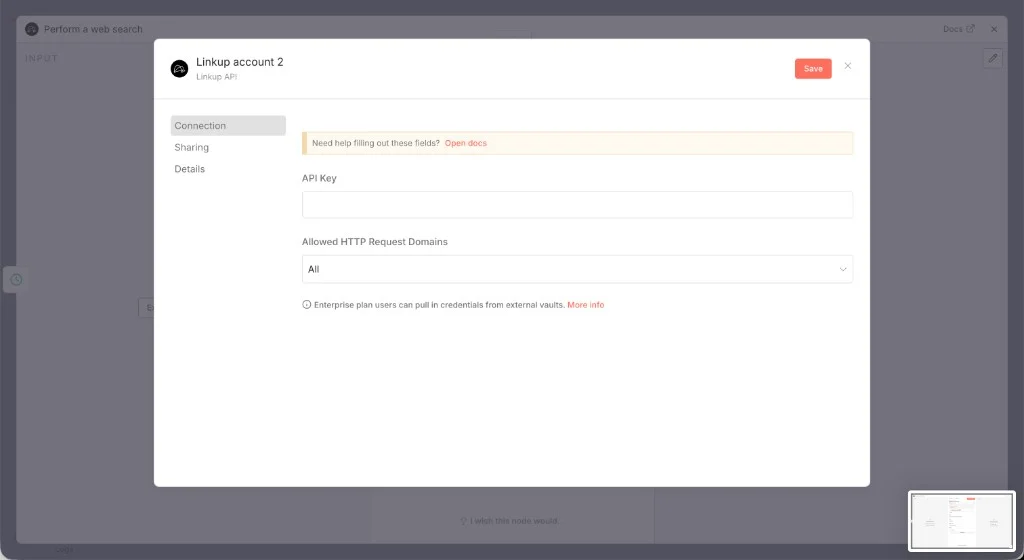
Get your API key
Create a Linkup account for free to get your API key.
5
Run a search
Enter your query, choose the 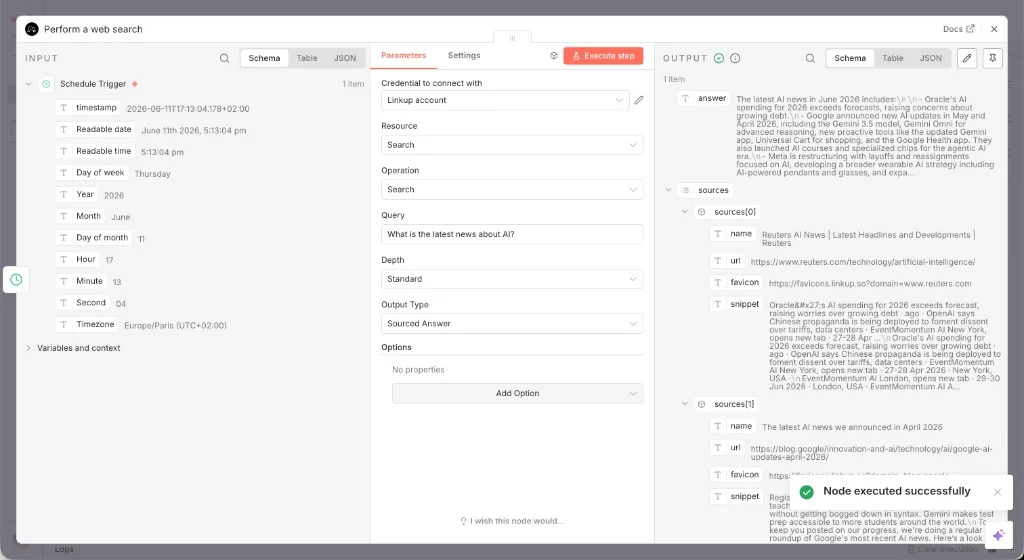
depth and outputType, then execute the node.Use an HTTP Request node
If you need to call a Linkup API endpoint that is not covered by the n8n node yet, use n8n’s HTTP Request node with your Linkup API key as a bearer token. For example, callPOST https://api.linkup.so/v1/search with this JSON body:
Need help? Email
support@linkup.so, ping us on Discord, or talk to us.